Understanding Battery Capacity and Ampere-Hours
Difference Between Ah and Wh
Most people read the amp hour number on a battery and assume it tells the whole story. It does not. The laptop battery ah rating measures charge volume, not energy. A 60 Ah cell and a 30 Ah cell can deliver identical runtime if their voltages differ.
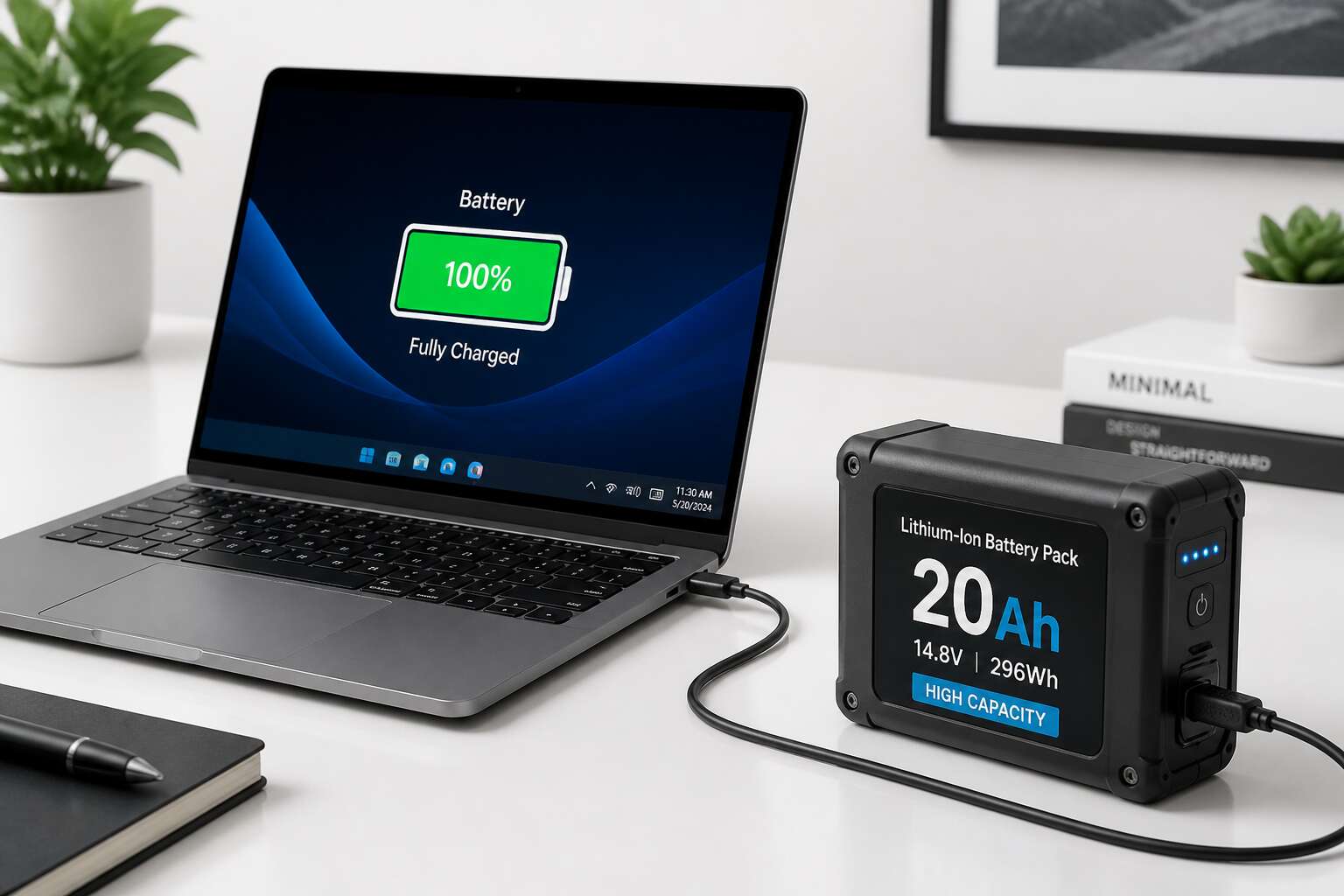
This is where watt hours matter. Ampere hours count the total electrons flowing. Watt hours account for the electrical pressure pushing them. The relationship is straightforward: Wh equals Ah multiplied by voltage.
Here is the practical difference:
- Ah describes how long a current can flow at a fixed rate.
- Wh describes the total energy available, which is what your laptop actually consumes.
In practice, watt hours determine real world longevity. The laptop battery ah figure only helps when you compare cells with identical voltage. Different voltages render the Ah rating meaningless for runtime estimates.
How Ah Affects Laptop Runtime
Few South Africans realise that two laptops with identical runtime can carry wildly different laptop battery ah numbers! The reason is amperage draw. Amp hours state how much charge the cell holds, but runtime depends on the rate at which your machine consumes that charge.
A modest laptop pulling 2 amperes from a 50 Ah battery runs for 25 hours. A workstation drawing 5 amperes from the same cell lasts a mere 10. The Ah figure stays fixed while consumption shifts with every open application.
Notice how these factors shift the outcome:
- Processor load, not screen brightness, drives the largest swings in draw
- Background updates and cloud sync keep the discharge rate artificially high
- A degraded cell often delivers far less than its printed amp hour rating
I find that most complaints about laptop battery ah performance trace back to a mismatch between the advertised capacity and the actual amperage demand of the hardware.
Common Ah Ratings for Modern Laptops
Typical modern laptops carry packs rated between 3 and 8 ampere hours, yet your laptop battery ah figure depends on the machine’s class. Capacity in ampere hours indicates how long a current can flow before the cells deplete. For contemporary hardware, the spread remains surprisingly narrow. Common ratings include:
- Thin ultrabooks: 3 to 4.5 Ah
- Mainstream notebooks: 4.5 to 6 Ah
- Gaming laptops: 6 to 8 Ah
Voltage differs between models, so the same Ah figure can represent very different energy stores. Higher Ah cells usually fit the same bay, but heat and charge controllers may object. I have yet to see a South African buyer who checks voltage before purchase!
Factors That Influence Laptop Battery Ah
Screen Size and Resolution
Screen size and resolution are quiet tyrants of your laptop battery ah. A 15.6 inch panel with 4K resolution demands more from the cell than a modest 13 inch HD screen, simply because every pixel needs power. Manufacturers often quote battery life using dimmer settings, so real world usage reveals the gap. Consider these influences:
- Larger displays require brighter backlights, which drain current faster.
- Higher resolutions force the graphics processor to work harder, eating into the same laptop battery ah reserve.
This interaction explains why two laptops with identical battery capacities can behave so differently. A compact business machine might sip power, while a multimedia giant gulps it. Knowing your screen habits matters more than chasing the largest number on the spec sheet.
Processor and Graphics Demands
Processor and graphics demands directly dictate laptop battery ah usage. When you launch demanding software, the processor accelerates through instructions, each cycle drawing measurable current from the battery’s finite capacity.
- High-performance CPUs ramp up voltage under load, pulling more current.
- Dedicated GPUs, common in gaming laptops, consume current even during basic tasks.
I have watched a battery percentage drop visibly during a single render session. In South Africa, load shedding often forces a sudden switch to battery power, making this drain urgent. A light browsing session might idle along, but video editing or CAD work reduces the same laptop battery ah to a depleted state within hours.
Battery Chemistry and Age
Battery chemistry shifts with every charge cycle. Lithium ion cells, the standard in modern laptops, lose roughly 20 percent of their original laptop battery ah after 400 to 500 full cycles. That number feels abstract until your three year old machine dies before the second load shedding slot of the evening.
Chemical degradation is not linear. Heat accelerates the breakdown of the electrolyte, while deep discharges stress the anode. A laptop left plugged in at full charge in a Durban summer will shed its laptop battery ah faster than one stored at 50 percent in a cool room.
Age reveals itself in three measurable ways:
- Rising internal resistance, which drops voltage under load
- Reduced charge acceptance, so the gauge claims full but the runtime lies
- Cell imbalance, where one cell hits empty while the others still hold charge
These symptoms compound each other, turning a once reliable battery into a backup that barely survives a single meeting.
Usage Patterns and Power Settings
The laptop battery ah written on the spec sheet emerges under controlled laboratory conditions. Real usage diverges from that figure immediately. Each background process, wireless scan, and display brightness adjustment drains the same finite reserve. Two identical laptops with identical cells can deliver vastly different runtimes depending on how their owners push the processor and the radio. Power settings widen the gap further:
- Balanced mode trades speed for endurance.
- Battery saver caps the CPU and dims the screen automatically.
That switch alone can extend your usable runtime by a quarter without any hardware change. The pattern is simple: more demand, less runtime; less demand, more endurance.
How to Choose the Right Battery Ah for Your Laptop
Matching Original Specifications
Matching the original laptop battery ah is the only reliable way to choose a replacement. The laptop’s charging circuit expects a specific capacity. Deviate from it, and you risk incomplete charges or early shutdowns. Neither is worth the savings on a cheaper cell.
Check the battery compartment for a printed label. It usually shows the ah rating. You can also run a system diagnostic, such as the battery report in Windows. Here is a simple verification method:
- Read the model number off the old battery.
- Search that model plus “laptop battery ah” to find specs.
- Cross reference with your laptop’s manual.
I always do this before ordering. It takes two minutes and prevents a useless purchase. The original laptop battery ah is your benchmark. Stick to it, and the machine will run as designed.
Considering Portability vs. Longevity
Every gram of battery adds weight and run time, but the scale tips differently for each user. A higher laptop battery ah rating promises longer work sessions, yet it also turns your machine into a burden. I have seen road warriors swap a 99 Wh pack for a 50 Wh cell, because airport security and back pain outweighed the extra hours.
Choosing the right laptop battery ah means asking what you truly carry. Data analysts camped at a desk need endurance. Consultants moving between client sites need a lighter chassis. The physical volume matters too; some laptops accept only a single capacity due to internal bay size.
- Thin ultrabooks often cap at 50 Wh to keep the profile slim.
- Workstations rarely go below 80 Wh because the CPU demands it.
Checking Compatibility with Your Laptop Model
Choosing the right laptop battery ah is not a matter of grabbing the biggest number on the shelf. Compatibility with your laptop model is the first and non-negotiable filter. I have seen people buy a high capacity pack only to find it does not physically fit in the bay, or worse, it fits but the motherboard refuses to recognise it.
Your laptop is engineered with a specific power delivery circuit. That circuit is calibrated for a certain voltage and current draw. A mismatched laptop battery ah can trigger charging errors, sudden shutdowns, or even permanent damage to the logic board. This is not a minor inconvenience, it is a costly mistake.
Before you look at capacity, check the manufacturer’s part number. That number tells you the exact physical dimensions and connector type.
– Confirm the connector orientation and latch position.
– Verify the voltage rating matches your original pack.
– Check the cell chemistry, usually Li-ion or Li-polymer.
– Compare the manufacturer part number against your service manual.
I often tell people to ignore the marketing stickers on third party batteries. They can claim a higher laptop battery ah than the original, but the firmware on your machine may cap the charge. You end up paying for capacity you never use. The battery management system is the real gatekeeper here, and it only plays nice with compatible hardware. So start with the model number, not the amp hour figure. That is the only sane approach for a machine you depend on daily.
Evaluating Aftermarket vs. OEM Batteries
The true test of any laptop battery ah rating comes down to manufacturing provenance. Aftermarket packs can offer double the capacity for half the price, but there is a spectral quality to their performance. Some work perfectly for a year, then die without warning. Others refuse to charge past a certain percentage, leaving your machine perpetually tethered to a power point.
I have repaired dozens of laptops where the OEM battery showed 85% health after three years, while the cheaper replacement failed in eight months. The firmware inside your laptop tracks cell cycles and temperature history. The “ghost battery” syndrome happens when the management system records data from cells that are not present. This causes the laptop to shut down at 30% charge without explanation.
– Cells inside aftermarket packs often come from different production batches
– The battery management system receives voltage data that conflicts with the real charge level
– Thermal sensors may be placed incorrectly, causing overheating during fast charging
South African users face an additional challenge. Loadshedding cycles put stress on batteries that are constantly drained and recharged. The OEM pack handles this because its firmware matches the cell chemistry precisely. An aftermarket pack with the same laptop battery ah will struggle. It cannot negotiate the correct charge curve for the cells it actually contains.
OEM batteries include a certificate of authenticity and a warranty that the manufacturer honours. Aftermarket sellers often disappear when you need a replacement under warranty. For a machine that carries your work and personal data, the saving is not worth the volatility.
Understanding Warranty and Safety
Choosing the right laptop battery ah means matching the original capacity while respecting the warranty that came with your machine. I always tell users to read the fine print, because coverage often excludes physical damage from swelling or overheating. A higher ah rating offers you longer runtime, but safety certification matters more than raw numbers. When load shedding drains your battery repeatedly, the protection circuitry is what prevents disaster. Always confirm the laptop battery ah against the label before you pay. Here is what I check before buying:
- Does the warranty cover charger faults and cell defects? Usually not.
- Is the battery certified for South African voltage fluctuations?
- Are there clear instructions for safe disposal when it dies?
A warranty that offers no support after three months is a warning sign. Choose a supplier who answers the phone and honours their obligations.
Tips to Maximize Laptop Battery Life and Ah Efficiency
Adjusting Power Settings
Fiddling with your power plan can feel like a chore, but it directly influences how many hours you pull from your laptop battery ah. The default settings favour performance over endurance. Switching to a balanced or power saver mode reduces the clock speed of your processor and dims the display, which are the two biggest drains. You can also adjust when the screen turns off and when the system sleeps, preventing idle waste.
Most modern laptops allow granular control through the advanced settings menu. For example:
- Set the maximum processor state to 80 percent
- Disable background apps
- Turn off keyboard backlighting after 30 seconds
These tweaks trim heat and extend runtime. A thoughtful configuration often yields an extra hour of work on a single charge.
Managing Background Processes
Background processes draw power from your laptop battery ah without ever appearing on screen. Every syncing cloud folder and every indexing daemon consumes current in the background. I often find users blaming display brightness while the true culprit hides in the system tray.
Consider the usual suspects:
– Cloud backup clients checking for changes every few minutes
– Browser extensions phoning home
– Chat apps holding persistent connections
– Antivirus scans scheduled during your peak hours
Each one shaves minutes off your runtime. Closing unused apps helps, but the task manager shows what launches at startup. Disable anything you do not need daily. Individually the savings seem small; collectively they stretch the effective capacity of your laptop battery ah well into the afternoon.
Proper Charging Habits
Charging habits directly affect your laptop battery ah. I have seen batteries lose capacity prematurely from simple charging mistakes. Modern lithium cells prefer partial charges over full drains. Keeping your laptop between 20% and 80% extends its useful lifespan noticeably. Heat is the main cause of degradation. Leaving a laptop tethered to power while running demanding tasks can damage the cells from within. Unplug once you reach that upper threshold. Also, avoid placing it on soft surfaces that trap warmth. A simple charging routine makes a significant difference.
- Charge in short bursts instead of overnight marathons.
- Remove the charger when the battery reaches around 80%.
- Let the charge fall to 20% before plugging back in.
These practices preserve the chemical integrity of your laptop battery ah, and you will notice the effects months later.
Using Battery Saver Modes
Battery saver mode often gets overlooked, yet it holds real power over your laptop battery ah. When engaged, it automatically limits CPU performance, pauses syncing, and lowers refresh rates. The effect is immediate. Your laptop battery ah drains slower because the system stops chasing unnecessary work. I have seen devices gain an extra hour of runtime simply by leaving this mode on.
The mode works best when you let it make decisions. It adapts to your usage, so you do not have to micromanage anything. For example:
- It caps background activity for apps you are not using.
- It reduces screen brightness without making the display unusable.
- It disables non-critical notifications that wake the processor.
That is efficient power management. Your laptop battery ah benefits from fewer interruptions, and the cells stay cooler. Over time, this preserves capacity and keeps your laptop dependable throughout the day.
Monitoring Battery Health
The laptop battery ah persists beyond the number printed at the factory. It shifts with heat, charge cycles and the quiet weight of your daily patterns. Monitoring battery health is the quiet way of noticing that decline before it takes charge of your device unannounced. A reliable report compares what the cell originally promised to what it now holds.
The signals live in three places:
- Design capacity, the original figure measured against the working years
- Full charge capacity, the version that reflects today’s daily reality
- Cycle count, which gives shape to the number’s slow departure
These readings turn the laptop battery into a narrative. The distance between design and realised capacity is the honest difference. When you spend the time to know that span, the laptop battery ah stops being a mystery and becomes a resource you hold with confidence. Monitoring is not a ritual. It is a language spoken quietly between you and the cell itself.
Common Myths and Misconceptions About Laptop Battery Ah
Higher Ah Always Means Better Battery
Some buyers assume that a bigger laptop battery ah automatically means a longer-lasting machine. That assumption falls apart when you consider voltage. A 5Ah pack at 11.1V produces 55.5Wh, while a 4Ah unit at 14.8V produces 59.2Wh. The higher ah actually delivers less energy.
For South Africans who rely on laptops during load shedding, this misunderstanding can waste money. Many laptops with large ah ratings pair them with power-hungry components, so runtimes end up shorter. The laptop battery ah figure only tells part of the story. These factors have greater influence:
- Processor efficiency under heavy workloads
- Display brightness and refresh rate
- Background processes and network activity
Before you compare models, ignore the marketing sticker and ask for the Wh value. Voltage and design determine the real outcome, not the raw ah number.
Leaving Your Laptop Plugged In Ruins the Battery
“Battery memory” is a ghost that haunts discussions about laptop battery ah, but for South Africans, the truth is more practical. Modern lithium ion cells simply do not suffer from the memory effect that plagued older nickel based batteries. Leaving your machine plugged in overnight will not drastically reduce its lifespan, despite what many believe.
The real risk is heat. A battery working under load while tethered to the charger can experience elevated temperatures. This is especially true during heavy tasks. Over time, that heat accelerates chemical degradation. The laptop battery ah figure matters little if the cells are cooking in a poorly ventilated chassis.
Modern laptops include charge controllers that stop the flow once capacity reaches maximum. They protect the cells from overcharging. However, the battery still operates at a high state of charge, which can stress it differently.
The primary threats to longevity are:
– Exposure to high ambient temperatures
– Sustained high wattage discharge cycles
– Operating at 100 percent charge for extended periods in hot rooms
If you run a demanding application while plugged in, the battery shares the power load. This keeps the cells active and warm. For load shedding schedules, the charging pattern matters less than the environment you expose the device to. The best practice is to keep airflow clear and avoid direct sunlight. A lower laptop battery ah capacity unit will still age gracefully if kept cool and treated with ordinary care. The obsession with unplugging is a distraction. The chemistry dictates the outcome.
You Should Drain Your Battery Completely Before Charging
Treating your laptop battery ah like a container that must be emptied before refilling is a habit that belongs to a bygone era of power tools and early mobile phones. Forge that instinct. Draining a modern lithium ion cell to zero forces it into a state of deep discharge, which is far more damaging than a mediocre charging routine. You are not resetting a memory chip; you are stressing the chemistry.
The consequences of hitting that low voltage floor include:
– Increased internal resistance
– Potential cell imbalance for multi cell packs
– Higher heat generation on the next charge cycle
– A permanent drop in usable capacity
The ideal operating window sits between 20 and 80 percent for daily use, especially during the hot Highveld summers. Every complete drain to zero counts as a full cycle, and your laptop battery ah rating represents a finite number of those cycles. A battery that is deeply drained is forced to work harder as the charge controller scrambles to recover it, creating the very heat that accelerates degradation.
Modern firmware tracks the battery state far more accurately than any guessing game you can play. The charge controller manages the top end and the discharge curve. Forcing a full drain not only promotes stress but also wastes time when load shedding has already limited your access to an outlet. A partial charge, being topped up frequently, will always outlast a battery that is regularly run into the ground. Stop treating the empty state as a target.
All Batteries with the Same Ah Are Equal
The assumption that two batteries carrying the same laptop battery ah rating will deliver identical performance ignores how manufacturers arrive at those numbers. A 60Wh battery from a reputable brand and a budget replacement with the same label can behave very differently under load. Ah is a theoretical capacity measured under controlled conditions, not a guarantee of real world endurance.
Internal resistance, cell temperature, and the quality of the protection circuit all shape how much of that rated capacity you can actually use. A cheap cell might advertise the same laptop battery ah but sag under processor load, producing heat and voltage drops. A premium cell holds its curve steady.
Consider that two batteries with identical ah ratings may differ in:
- Cell chemistry variations
- Manufacturing tolerances
- Age and cycle count
The number on the label is a starting point, not the full story.




0 Comments