
Reasons Your Battery Discharges Even When Connected
The Science of Power Delivery and Battery Chemistry
Some studies suggest that nearly a quarter of modern laptops will display a dropping percentage despite being plugged in. The issue often boils down to how your device balances incoming power with instantaneous demand, a process governed by intricate charging algorithms.
Most systems use a two stage profile: a constant current phase that rapidly fills the battery to roughly 80%, followed by a trickle charge. During heavy multitasking, resource heavy software, or gaming, the power draw can exceed what the adapter supplies, causing the system to tap into the battery simultaneously.
Here is the primary reason for the deficit:
1. The charger’s wattage is lower than the laptop’s peak consumption.
2. Damaged or non certified cables create resistance.
3. Background processes or high screen brightness impose a severe load.
Consequently, the battery acts as a secondary power source, and its charge level naturally depletes. This behaviour is typical, not a hardware failure. Observing a laptop battery goes down while charging during intensive tasks is a direct result of this power balancing act, rather than a sign of imminent component fatigue.
Insufficient Power Adapter Wattage
Your laptop is plugged in, yet the percentage drips downward. The most mundane explanation is an underpowered adapter. Suppose your charger delivers 65W while the machine needs 90W during a heavy session. That 25W deficit must come from somewhere, so the system siphons energy from the battery. This is why your laptop battery goes down while charging under load. It is not a malfunction; it is a simple power budget shortfall.
Common scenarios where the wattage falls short:
- Using a travel charger rated for a smaller model.
- Running video editing or 3D rendering while the battery is already low.
- Charging multiple USB devices from the same brick.
Compare the adapter’s output label with the laptop’s maximum draw. When those numbers disagree, the battery becomes a silent co-conspirator.
Heavy System Load Exceeding Charging Rate
Modern laptops can pull more electricity than their chargers can deliver during a peak burst. When you run a 4K export or a demanding game, the processor and graphics card demand simultaneous power. The charging brick reaches its ceiling, and the deficit is drawn from the battery. This explains why laptop battery goes down while charging under sustained stress.
Heavy system load exceeding charging rate creates a temporary energy shortfall. The battery fills that gap until the workload eases.
– Data analysis with large datasets.
– Running multiple virtual machines.
These tasks keep the system at maximum draw for extended periods. The battery depletes slowly, even with the cable connected.
Background Applications and Startup Programs
One quiet culprit sits in your system tray, unknown and unnoticed. Background applications and startup programs drain your battery silently, even as your charger works. While your active work fades to the foreground, these hidden processes persist. They keep components awake, preventing the system from entering its true low power state. The cumulative effect is a constant draw that slowly outpaces the incoming charge, and your laptop battery goes down while charging, despite your awareness of the cord.
The list of offenders is often more surprising than you’d think.
– Chat apps like Slack or Teams refreshing in the background
– Cloud sync services like Dropbox or Google Drive indexing your files
– The remnants of a game launcher like Steam running at idle
– Your browser holding dozens of open tabs and background extensions
Each one is a tiny task, but together they represent a continuous workload that never rests. The system does not sleep. It simply moves from high intensity to low intensity work, and the battery pays for the transition. After a few hours, that discharge shows. Using the task manager to end these background sessions is the first step to seeing your charge percentage climb instead of fall.
Identifying Faulty Hardware That Causes Battery Drain
Aging or Swelling Battery Cells
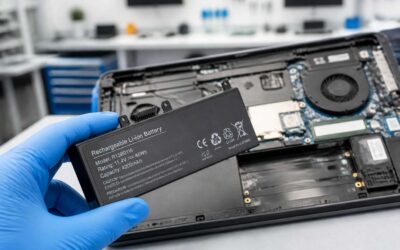
When a laptop battery goes down while charging, the fault may lie within the hardware itself. Lithium cells age through every charge cycle, and swollen battery packs often indicate internal gas buildup. A deformed trackpad or chassis bulge signals this condition.
Faulty charging circuitry can also disrupt power flow. I have seen systems read incorrect voltage levels, causing the laptop battery to drain despite being plugged in.
Signs of failing hardware include:
- Battery health dropping below 60% after limited cycles
- Random shutdowns at 30% charge remaining
- Physical swelling that lifts the keyboard deck
Replacement is the only remedy for damaged cells. A swollen battery requires immediate removal.
Damaged Charging Cable or Port
Your charging cable has a rough existence. People yank it, twist it, and roll office chairs over it. The port endures the same abuse. The result is the classic complaint, the laptop battery goes down while charging, despite the power brick’s glow.
The physical connection deserves scrutiny before you blame software. A loose barrel plug or a USB-C port stuffed with lint makes intermittent contact. The laptop thinks it is charging. Voltage drops under load and the battery leaks power.
- A wiggled connector with a flickering light points to a cracked solder joint.
- Kinks, exposed wire, or scorched tips all indicate wear.
- A burnt plastic smell from the port signals serious trouble.
That burnt smell means a replacement cable. A damaged cable delivers erratic current, confusing the charging circuitry. You keep typing as the laptop battery goes down while charging. Your stress climbs while the percentage falls.
Intermittent Power Connection and Loose Adapter
You scrutinize the cable and find it intact. You replace the charger and the problem persists. That is when the fault shifts inward, to the hardware that governs the power handshake.
The DC jack on your motherboard is a mechanical component. It receives the barrel plug, and that barrel plug sits at an angle. A loose adapter does not deliver total failure; it delivers an intermittent power connection. The motherboard receives enough voltage to register the charger, but not enough to maintain the charging circuit under load. The system prioritises the CPU and screen, so the battery compensates. That is the exact moment you notice the laptop battery goes down while charging, even with 90W plugged in.
An intermittent power connection also manifests in the adapter itself. The internal wire that runs from the transformer to the tip can break inside the insulation. Bend the cable at the stress point and the connection returns. Set it down and the battery drain resumes. Inspect the adapter’s LED. If it flickers when you wiggle the wire, the internal conductor is fractured.
Check for these hardware faults:
- A DC jack that moves laterally when the plug is inserted
- A charging light that toggles when the cable is touched
- A battery percentage that drops only when the system is under heavy load
Motherboard-level power circuitry can also fail. A cracked MOSFET or a swollen capacitor on the charging rail will produce the same symptom. These components regulate the voltage flow, and when they degrade, the current becomes unstable. The laptop battery goes down while charging because the board cannot convert the incoming power efficiently. This requires a multimeter to diagnose properly.
Motherboard Power Regulation Failures
Motherboard power regulation failures often hide behind the same symptom: the laptop battery goes down while charging, even when the adapter delivers correct wattage. When the primary charging circuit cannot stabilise incoming voltage, the battery silently compensates for the deficit. The result is a gradual discharge under normal use.
Voltage regulation relies on MOSFETs and capacitors positioned along the charging rail. A failed MOSFET may allow current to pass inefficiently, while a swollen capacitor cannot smooth the power flow. Both failures force the battery to supplement the system, causing the laptop battery goes down while charging. You might notice the battery percentage drops only when the CPU or GPU ramps up, then recovers slightly during idle periods.
- Inspect the charging port for scorch marks or discolouration.
- Listen for a high-pitched whine near the power input, which suggests coil or capacitor stress.
- Monitor the battery drain pattern across different power profiles.
Diagnosing this requires a multimeter to test voltage continuity across the board. The repair is invasive and demands soldering skills. If the motherboard fails under load consistently, a professional technician must assess the power delivery system. Ignoring this leaves the battery cycling continuously, which accelerates its degradation. The laptop battery goes down while charging because the board cannot convert incoming power into stable charge. This is not a software issue. It is a physical limitation of degraded components.
Software and Driver Issues Affecting Charging Performance
Outdated or Corrupted Battery Drivers
Beneath the surface of your operating system, a hidden interpreter works. The battery driver translates between hardware and software. When that interpreter stumbles, the charging circuit receives false commands. Your laptop battery goes down while charging though the adapter hums with power. This is not a hardware failure; it is a corrupted ACPI table or an outdated embedded controller driver.
I have seen Windows updates rewrite the battery management protocol overnight! The OS misreads capacity, throttles charging, or forgets to request power. The usual suspects include:
- ACPI battery driver failures
- Outdated chipset drivers
- Corrupted BIOS or UEFI firmware settings
- Embedded controller bugs
Each one skews the negotiation between charger and cell. The machine believes it is full. The machine is not full. It drains while the adapter watches, and this is how a laptop battery goes down while charging without a single physical fault.
Power Management Settings in Windows or macOS
Power management settings in Windows and macOS hold their own quiet cruelties. The operating system decides when to draw current and when to withhold it. A misconfigured power plan, a battery saver threshold, or a sleep state that never truly sleeps can all suppress the charging current while the adapter still hums with power. The screen dims. The percentage falls. The laptop battery goes down while charging because the software refuses to ask for more.
- Windows Power Mode throttling the charge request
- macOS Optimized Battery Charging delaying the top-up
- Sleep and hibernation states that disable fast charging
- USB-C power delivery conflicts inside the OS
Each setting rewrites the negotiation between machine and mains. The battery drains in the dark, and the operating system watches without alarm.
BIOS and Firmware Bugs That Disrupt Charging
Below the dashboard, beyond the battery gauge, lies a negotiation conducted in silence. The BIOS and the embedded controller act as gatekeepers of every watt, interpreting the adapter’s plea and the battery’s appetite. When this firmware carries a bug, the gatekeeper’s judgment falters. A laptop battery goes down while charging because the system’s fundamental logic, baked into its silicon, no longer trusts the power source or the cells themselves.
Driver corruption often wears a deceptive mask. The ACPI compliant battery driver might misreport capacity, or the embedded controller driver could freeze mid-negotiation. The consequence is a baffling loop where the system believes it is full but the physical battery drains. BIOS updates, intended as fixes, sometimes introduce their own chaos, interrupting the handshake between charger and load.
- Battery threshold values locked incorrectly in the BIOS
- Embedded controller settings that stall after system sleep
- Firmware that capriciously diverts power to the fan before the cells
These silent failures become rituals of frustration. The adapter remains warm, yet the firmware chooses to protect an imaginary thermal threat or honour a forgotten calibration. Only a reset of the EC, or a patient flash of the BIOS itself, restores the flow of electrons to the waiting anode.
Operating System Updates and Known Bugs
Operating system updates promise security, yet they occasionally carry a hidden cost. I have seen a Windows patch reverse the ACPI battery flag, forcing the OS to report a full charge while cells physically drain. A macOS update can disable smart charging without notice. These known bugs present a clear symptom: a laptop battery goes down while charging.
The update can overwrite the power management registry, installing a conflicting policy that overrides the manufacturer’s charging profile. A background service may clash with the embedded controller, creating a loop where the OS requests power but discards it.
Consider documented incidents:
- Windows 11 build 22631 reversed the battery status flag on select Lenovo laptops.
- macOS Ventura 13.4 disabled optimized charging on Intel MacBook models.
These incidents share a common trait. The adapter stays warm, yet the laptop battery goes down while charging.
Step-by-Step Troubleshooting to Fix Battery Drain
Run a Battery Report and Check Health Status
Stop guessing and start measuring. On Windows, open PowerShell and type powercfg /battery-report. This generates an HTML file that compares your battery’s design capacity against its full charge capacity. On macOS, hold Option and click the battery icon to see condition status, or use System Information for cycle count.
Open the report and look for the difference between how much your battery was built to hold and how much it can actually store now. That difference tells you everything! The report logs charge cycles and temperature history to help you spot patterns.
While you are in the report, check your charging status:
- Verify Windows shows “Plugged in, charging” rather than “Plugged in, not charging”
- Note whether the percentage actually climbs while you work
- Compare charging behavior under idle conditions versus active use
These findings tell you whether the laptop battery goes down while charging is a software misreading or a hardware constraint. If the report shows healthy capacity, the problem sits further down the power chain.
Update Device Drivers and System Firmware
The most common software culprit behind a draining battery while plugged in is a misbehaving driver. Windows Update frequently pushes generic drivers that lack the advanced power negotiation protocols your specific laptop model requires. These generic drivers fail to communicate the correct charging voltage, causing the system to pull more power than necessary. Begin by opening Device Manager, expanding “Batteries,” and right-clicking both “ACPI Compliant Control Method Battery” and any power adapter entries. Select “Uninstall device,” then restart your laptop to force a clean hardware reinstallation.
Outdated firmware presents an equally troublesome obstacle. The embedded controller, the small chip governing charging behavior, relies on BIOS-level instructions. When a laptop battery goes down while charging, the embedded controller may be executing a flawed power delivery sequence. Check your manufacturer’s support page for a BIOS or UEFI update, especially if you have not updated in over a year. Manufacturers release firmware patches specifically to address charge regulation anomalies. Use this sequence for a safe update:
- Connect the laptop to the original charger
- Ensure the battery percentage is above 30 percent
- Download the latest BIOS file from the support site
- Run the flashing utility without interrupting the process
South African users often face additional voltage fluctuations from Eskom load-shedding, which can corrupt firmware mid-write. Always perform these updates on stable grid power, not an inverter or generator output. a defective driver stack or stale BIOS version will continue to trickle energy away even with a healthy battery report. Replacing these foundational software layers forces the hardware to negotiate power flow correctly, often resolving the issue without spending a cent.
Change Power Plans and Processor State Limits
Most users ignore the power plan’s hidden processor state limits. When a laptop battery goes down while charging, the CPU can still demand more voltage than the charger can spare. Open the Control Panel, navigate to Power Options, then change plan settings and advanced settings. Scroll to Processor power management and set the maximum processor state to 99% for plugged in and on battery, capping turbo boost.
On a high performance plan, the CPU stays at peak frequency, worsening the deficit. Switch to Balanced. Here is a sequence:
- Run powercfg.exe /setactive SCHEME_BALANCED.
- Set cooling policy to passive.
- Disable USB wake support in the same dialog.
I have seen this fix many cases where the charger was healthy but the system misallocated energy. South African load-shedding creates voltage fluctuation, so these settings help stabilise charging. Changing processor state limits stops the laptop battery goes down while charging pattern!
Disconnect Peripheral Devices and Reduce Load
When a laptop battery goes down while charging, the adapter delivers correct wattage, yet the system loses charge. The culprit is the peripheral ecosystem. An external monitor, a powered hub, or charging cables consume current. Each device adds load, tipping the balance near the adapter’s limit.
I have seen machines that refused to charge until I unplugged a 4K display and a dock. The moment those devices left, the battery percentage climbed! Internal components matter. A video render forces the CPU into higher voltage states. To isolate the drain, use this order:
- Disconnect USB hubs and storage.
- Unplug external displays.
- Turn off Bluetooth and heavy apps.
In South Africa, load-shedding causes erratic voltage, stressing the charging circuit. Removing peripheral load gives the adapter headroom to replenish the battery. This physical reallocation often resolves what software adjustments could not. When the laptop battery goes down while charging, inspect the physical connections.
Reset Your Battery or Perform a Power Drain
When the laptop battery goes down while charging, even after unplugging every peripheral, the fault may lie in stale charge data. A power drain clears that memory. I have watched a stubborn machine climb back to full capacity after this simple ritual. You can reset your battery too, depending on the model.
For a power drain, follow this order:
- Shut down the laptop completely.
- Disconnect the charger, then remove the battery if it is removable.
- Press and hold the power button for 30 seconds.
- Reattach the battery and charger, then boot normally.
This releases residual voltage trapped in the capacitors. In South Africa, load-shedding creates erratic power dips, which confuse the charging circuit. A power drain gives that circuit a clean slate. The laptop battery goes down while charging less often once you perform this reset.
Preventing Future Battery Drops and Extending Battery Life
Optimal Charging Habits and Charge Limits
Most lithium ion cells endure roughly 500 full cycles before their capacity degrades by 20%. That statistic forces me to reconsider how I treat my own machine. The laptop battery goes down while charging because we often keep it pinned at 100% for weeks. That constant top up pressure accelerates chemical wear inside the cells.
Optimal charging habits are about range, not just duration. Keep the battery between 20% and 80% when you can. If your BIOS offers a charge limit, set it to 80% for daily work. I leave mine capped and only allow a full charge before travel. This simple boundary extends the usable life of the battery significantly.
- Shut down periodically to let the voltage settle across cells.
- Unplug once the charge limit is reached, even during a busy session.
- Avoid resting the laptop on soft fabric that traps heat.
The laptop battery goes down while charging less often when you respect these parameters. Heat remains the silent factor. A ventilated stand and a cooler room are small adjustments that prevent future drops. The habit becomes a ritual, one that rewards you months later.
Keeping Your Laptop Cool During Intense Tasks
In the South African summer, a laptop under heavy load generates heat that the charging system cannot ignore. The internal temperature climbs, and the power management firmware prioritises the processor over the battery. The laptop battery goes down while charging because the adapter’s energy is spent sustaining the workload, not replenishing the cells.
Ventilation decides the outcome. A machine on a solid desk with clear airflow maintains its charge. A machine resting on a soft surface traps the heat, and the battery drains even as the adapter delivers power. I have watched this happen during long rendering sessions. The fan spins harder, the underside grows warm, and the charge percentage drops anyway.
Ambient temperature matters too. A room at twenty degrees gives the cooling system room to work. A room at thirty degrees leaves no margin. The battery works harder, the charging circuit slows, and the drop becomes inevitable.
Replacing Your Laptop Battery When Needed
Preventing a laptop battery goes down while charging scenario demands deliberate routine. I keep my charge cap at 80 percent and never let the cell drop below 20. This single habit extends usable battery life by years.
Heat remains the silent killer. A clean vent and a hard desk give the charging circuit room to function. If you render or play while plugged in, lower the processor state limit.
- Run a monthly battery report to track wear.
- Disable usb charging when the adapter is weak.
- Unplug the charger once the cap is reached.
Replacement becomes necessary when capacity falls under 60 percent. Swollen casing or sudden shutdowns confirm it. Do not delay. Replace your laptop battery before it damages internal components.
Using Original Chargers and Certified Accessories
South Africa’s erratic grid makes a dependable power source non-negotiable, yet many laptop owners gamble on bargain-bin chargers. The reason a laptop battery goes down while charging often lies in that compromise. Original chargers carry the correct voltage and current curves, and they speak to the battery management system through a dedicated handshake. Certified accessories maintain this dialogue without interruption.
An uncertified adapter skips that conversation. The charging circuit fails to regulate, so the system pulls power from the cell even while tethered to the wall. This constant back-and-forth accelerates wear, causing the battery to lose capacity at an alarming rate. A genuine charger also protects against voltage spikes, a real threat during load shedding. Choosing the right accessory is an investment in the laptop’s longevity.
Proactive Maintenance and Monitoring Tools
You notice the percentage tick downward while the adapter is firmly connected. That moment is familiar to anyone who has watched a laptop battery goes down while charging during a deadline. The cause is rarely a single fault. It is a pattern of neglect that compounds over months.
Monitoring tools give the first warning. Battery reporting utilities in Windows and macOS log charge cycles, design capacity, and current wear. Run them weekly. I check mine every Monday. Track the numbers. A sudden drop in full charge capacity signals trouble before the screen dims.
Proactive maintenance also means reviewing what draws power silently. A simple audit helps:
- Check startup apps you no longer use.
- Lower screen brightness on the go.
- Close browser tabs streaming video.
Each step reduces load on the charging circuit, letting the battery fill instead of drain. In South Africa, where load shedding interrupts power without notice, that margin matters! The next time a laptop battery goes down while charging, you will already know the warning signs.



0 Comments