Understanding the Importance of Safe Disposal
Why Laptop Batteries Cannot Go in Regular Trash
One crushed laptop battery in a Gauteng landfill can ignite a fire that smoulders for days! The casings look harmless, but the chemistry inside remains volatile long after your machine dies.
Lithium cells react violently to punctures, pressure, and moisture. When a battery ends up in a refuse bag, the weight of waste does the damage. That is why safe disposal of laptop batteries cannot mean tossing them into a municipal bin. Landfill fires release heavy metals into the air, and runoff carries cobalt into water sources.
- Collectors cannot spot a swollen battery in a sealed bag
- Truck compactors create the pressure that triggers thermal runaway
- Waste pickers at dumpsites face exposure to leaking cells
The ordinary trash can lacks any system for isolating hazardous cells. I have seen the aftermath of a battery fire in a waste truck, and the damage never stays contained. Safe disposal of laptop batteries protects waste handlers and the environment.
Environmental Consequences of Landfills
Every laptop battery buried in a landfill eventually leaks. The casing corrodes under pressure from stacked waste, and lithium, cobalt, and nickel seep into the surrounding soil. Rainwater transforms these metals into leachate, a toxic fluid that migrates downward through the ground. In Gauteng, this contamination can reach the aquifers that supply millions of households.
I have seen the aftermath of this leakage at old landfill sites. Nothing grows on those patches of earth, and the water nearby tastes metallic. The environmental consequences are quiet, persistent, and difficult to reverse.
- Leachate carries heavy metals into underground water reserves
- Soil chemistry becomes hostile to plant life for decades
- Local ecosystems lose their ability to filter contaminants
Safe disposal of laptop batteries prevents this sequence of environmental harm from ever starting. That is the core of responsible waste management.
Potential Fire Hazards in Waste Streams
A single crushed laptop battery in a garbage truck can ignite a fire that takes hours to control. The threat inside waste streams is not always toxic, sometimes it is volatile. When compaction equipment applies pressure, the battery’s internal separator fails. This short circuit triggers thermal runaway, a process where heat builds faster than it can dissipate.
South African waste management crews have fought fires that begin deep inside refuse loads. A damaged casing exposes lithium to moisture, causing rapid gas release. The flames spread through paper, plastic, and other combustible materials already present.
- Crumpled batteries from laptops, phones, and tools
- Moisture from organic waste accelerates the reaction
- Fire suppression becomes nearly impossible until the load is dumped
Safe disposal of laptop batteries removes this ignition source before it ever reaches the truck.
Applicable Local and Federal Regulations
South Africa regulates spent laptop batteries under the National Environmental Management: Waste Act. This law classifies lithium ion cells as hazardous waste. Municipal bylaws add another layer. In my experience, residents often overlook these local schedules for hazardous drop-offs.
Extended producer responsibility schemes now hold manufacturers accountable for recovery. This shifts the burden to formal channels. The safe disposal of laptop batteries through these channels reduces illegal dumping. It also protects waste workers from acidic residue and toxic fumes.
Regulations may seem bureaucratic, but they exist for a reason. The act places a duty of care on anyone who generates waste. Understanding these obligations matters. The safe disposal of laptop batteries carries legal weight, not only environmental benefit.
Preparing Your Laptop Battery for Disposal
Determining the Battery Type and Condition
Your laptop battery carries secrets. It knows its chemistry, its voltage, and its breaking point. Before you part with it, you must interrogate the housing. Look for the printed specification: lithium ion, nickel metal hydride, or nickel cadmium. Each family behaves differently at a recycling facility, and South African processors will not accept a mystery battery.
The second step is a physical examination. Hold it up to the light and check for swelling, cracks, or oozing. A battery that looks like a bloated envelope has different handling requirements than a clean, intact unit. Tape the terminals with electrical tape regardless.
- Swollen casing: isolate the battery.
- Corrosion on terminals: wrap each terminal separately.
- Intact with no leaks: tape the contacts.
This inspection is the first act of safe disposal of laptop batteries. With the type and condition confirmed, you can pack the unit without guesswork.
Removing the Battery Safely from Your Laptop
Preparing a laptop battery for disposal starts with a full shutdown. Unplug the charger only after the power light dies. South African grid fluctuations can leave circuits partially charged. Turn the laptop over and inspect the underside. Release latches vary, some slide, some need a small screwdriver. The battery still holds voltage, so handle it with care.
Removing the battery safely from your laptop requires patience. Hidden clips often resist. Apply pressure evenly and rock the cell out. Never probe with metal. A plastic opening tool is safer. Once free, set the battery on a dry surface. This step is critical for safe disposal of laptop batteries. A sudden drop can crack the casing and expose the cells.
Protecting the Battery Terminals with Tape
Once free, the battery’s exposed terminals become its most dangerous feature. Residual current sits there, waiting to arc across a paperclip, a drawer handle, or another battery in a collection box. Taping them is an act of accountability!
Use electrical tape, preferably the PVC kind that stretches and clings. I press it over each terminal group, covering the metal completely. The sticky surface must contact the metal directly to prevent movement.
Before taping, wipe the casing with a dry cloth and inspect for swelling. A swollen cell requires different handling. A clean, stable battery can be secured for transport.
For multi-pack batteries:
- Tape each terminal individually
- Fold tape ends over for later removal
- Mark the battery with a permanent marker
The safe disposal of laptop batteries starts with this quiet preparation. This step converts an unstable object into a manageable one. It is the difference between transport and risk.
Choosing an Appropriate Storage Container
South Africa discards roughly 360,000 tonnes of electronic waste each year, yet most laptop batteries never reach a certified recycler. The preparation you have done so far, taping the terminals and confirming the casing is intact, means nothing if the battery sits in the wrong container on the way to a drop-off point.
The storage container matters as much as the tape. A cardboard box absorbs moisture and offers no resistance if the battery begins to heat. A metal tin conducts current and can create a short circuit. The dependable option is a rigid plastic container with a lid, large enough that the battery does not touch other metal objects.
What to look for in a container:
- A snug fit that prevents movement during transport
- A non-conductive interior surface
- A lid that seals without requiring pressure
Place the taped battery inside and keep the container away from direct sunlight. The safe disposal of laptop batteries requires attention to these details before the battery leaves your home.
Exploring Safe Disposal and Recycling Channels
Manufacturer and Brand Take-Back Programs
Your laptop battery expires, but the manufacturer hasn’t vanished. Most brands run take-back programs, and in South Africa, HP and Dell partner with local recyclers for hazardous components. Apple’s trade-in scheme offers store credit for your dead lithium. These channels ensure the safe disposal of laptop batteries without negotiating with a scrap yard. A typical program looks like this:
- Register your battery online using its model number.
- Pack it in the original box or a padded envelope.
- Print a prepaid shipping label and drop it off.
Some retailers also collect batteries, but verify their credentials first. Mailing a battery in a paper bag may summon a fire truck. Manufacturer programs exist because they want your next purchase. In a country with limited e-waste infrastructure, take-back schemes remain the most dependable path for the safe disposal of laptop batteries.
Retailer Drop-Off Collection Points
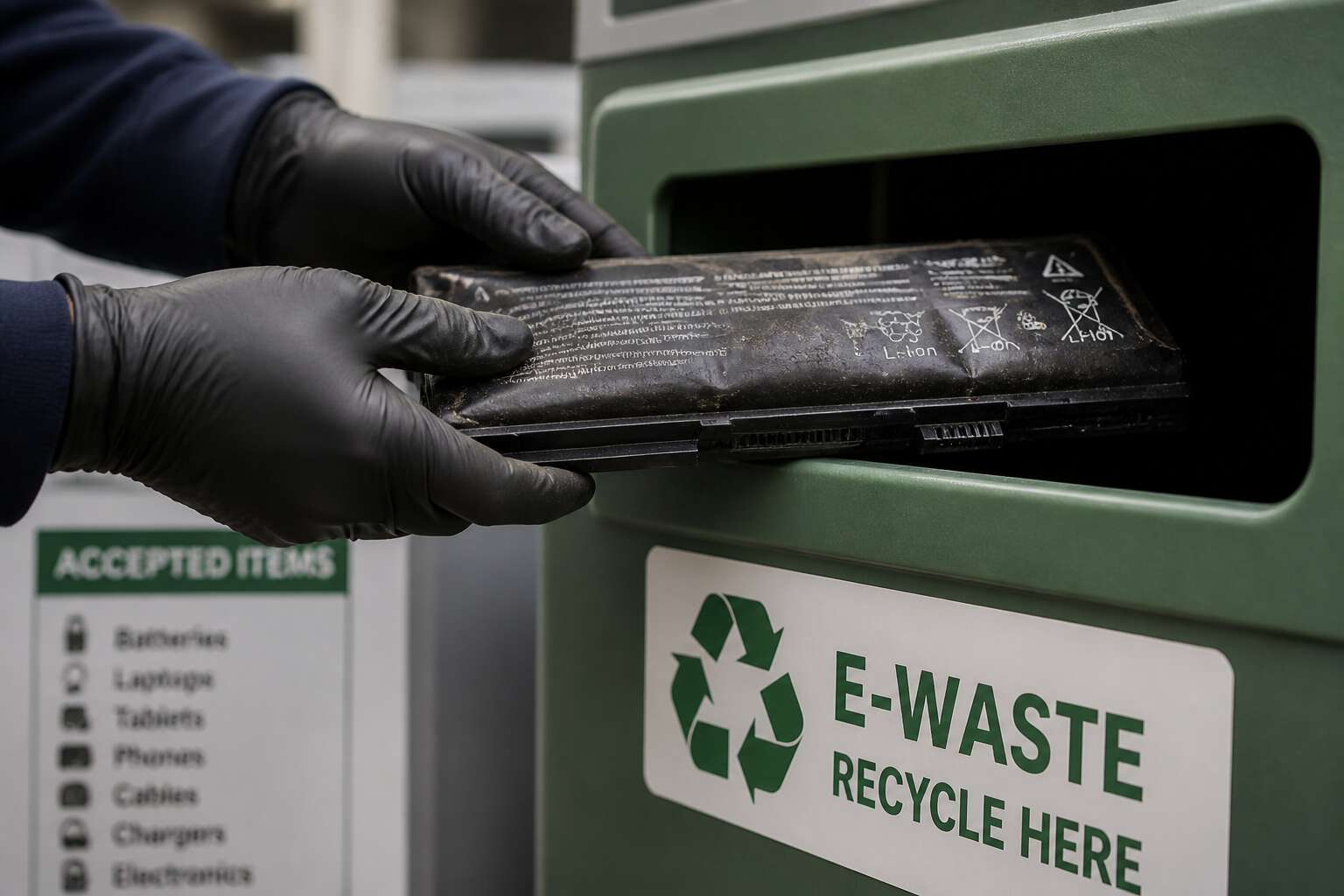
Retailer drop-off points offer a convenient alternative for the safe disposal of laptop batteries. In South Africa, chains like Makro and Incredible Connection partner with certified e-waste handlers, though participation varies by location. Before you hand over your dead cell, I always verify that the collection bin is labelled for hazardous waste. A bin meant for phone chargers may not be sealed against lithium fires.
What to confirm with staff:
- The destination facility’s permit number
- Whether terminal taping is required
- The maximum battery capacity accepted
Such diligence matters because retail staff rarely receive technical training on lithium chemistry. One mis-sorted battery can contaminate an entire recycling batch, and the financial loss lands on the recycler, not the store. For rural shoppers, these drop-off points often serve as the only practical channel beyond municipal hazardous waste events, making the safe disposal of laptop batteries a daily reality rather than an abstract obligation.
Local Household Hazardous Waste Facilities
In many South African towns, the local household hazardous waste facility is a reliable option for responsible recycling. I have stood at these collection points on rainy mornings, watching farmers carry dead cells alongside old paint tins. The safe disposal of laptop batteries often begins here, in community depots that operate twice a month.
What you find depends on the municipal contract. Some accept lithium cells without fuss; others demand proof of residency. Before you drive forty kilometres, call ahead. Ask about packaging requirements and swollen packs. For a rural resident, this call saves a wasted trip.
- Identify the chemistry label.
- Tape the terminals.
- Separate from other waste.
The staff are often local volunteers. They appreciate honesty about battery condition. Showing them a taped terminal builds trust. That trust eases the burden of safe disposal of laptop batteries for everyone.
Mail-In Recycling Programs
Mail-in recycling programs solve a frustration for those beyond municipal reach. I have sent lithium cells through the post. The courier becomes a caretaker for a hazardous object.
These programs require a prepaid label, a certified box, and a manifest that tracks the parcel. The safe disposal of laptop batteries via mail depends on that paper trail. Choose a provider who publishes their downstream partner. Ask about insurance for transit accidents!
- Confirm the courier accepts lithium.
- Request a tracking number.
- Retain proof of drop-off.
Some South African services collect from your doorstep. Others accept parcels at depots. The difference matters when you live far from urban nodes.
Community Collection Events and Drives
Municipalities and local environmental groups across South Africa host collection events, often called e-waste drives, to gather hazardous materials in one controlled location. These gatherings turn a solitary chore into a shared civic act, and the safe disposal of laptop batteries becomes a matter of calendar planning rather than navigation. I have seen a church parking lot transform into a drop-off point where residents queue with boxes of dead cells.
The quality of these drives varies widely. A well organised event publishes its waste handler in advance and shows staff wearing gloves and sorting each item. A poor one accepts everything, then stacks it under a tarpaulin until the next truck arrives. Before you load your battery, look at the poster or the Facebook page for these details.
A credible drive will confirm:
– Terminals are taped before drop-off
– Each battery is placed in a clear ziplock bag
– The event is co-hosted by a licensed transporter
Do not rely on the promise of a friendly volunteer. The safe disposal of laptop batteries rests on the chain that follows the event, not the moment you hand it over.
Alternatives and Reuse Options Before Disposal
Testing the Battery’s Health and Remaining Capacity
A lithium ion battery that refuses to charge might still have years of service left. Before scheduling its collection with a recycling program, run a diagnostic. Windows and macOS include battery health tools, while third party software can report cycle counts. If capacity remains above 80 percent, the battery can power a portable speaker or an emergency charger, extending its useful life. When testing shows less than that, the safe disposal of laptop batteries becomes necessary. Check for these indicators:
- Swelling or deformation, which rules out reuse immediately
- Rapid discharge under moderate load
- Inconsistent voltage readings across cells
A battery that fails these tests should not be handled further; tape its terminals and store it properly. Repurposing only works for batteries with stable output, so measure twice, then decide.
Professional Repair or Cell Replacement
A swollen battery is a clear stop sign, but not every dead cell is beyond salvation. I have seen technicians breathe new life into a seemingly defunct pack, and it is a beautiful thing. Before you commit to the safe disposal of laptop batteries, consider professional repair or cell replacement. A specialist can often swap out the individual failing 18650 cells, preserving the original battery management system. This route is far cheaper than a new laptop and keeps valuable materials in circulation.
However, there are limits to what repair can achieve. The process is only viable for batteries without physical damage or deep discharge issues. For those cases, the options are few.
– Batteries with a swollen casing are never repairable.
– Packs with a failed BMS are often too complex to rebuild safely.
– Only skilled technicians should attempt cell replacement; it is not a DIY project.
If a certified technician cannot restore it, then the safe disposal of laptop batteries through a registered e-waste facility becomes the only correct path. It is a decision based on safety, not sentiment.
Donating Functional Laptops or Batteries
There is a quiet ritual in many South African homes: the laptop upgrade. The old machine, still functional, gets consigned to a drawer. That device could serve a student in a township or a small business owner in a rural province. Donating a functional laptop, with its original battery intact, delays the moment you must arrange the safe disposal of laptop batteries.
Before you donate, confirm the battery holds a charge and the device powers on. Organisations such as the e-Waste Association of South Africa accept working laptops. Some refurbish the machines; others resell them to fund digital literacy programmes.
If the laptop works but the battery does not:
- Confirm the battery is removable and replaceable.
- Donate the laptop body separately from the faulty cell.
The faulty cell requires the safe disposal of laptop batteries through a certified e-waste facility. Donation is a generous gesture, not an exemption.
When Reuse Is Not a Safe Option
A swollen battery is not a candidate for reuse. But even a damaged pack contains recoverable components. Certified e-waste operators in South Africa routinely salvage nickel strips, copper wiring, and the battery management system before the cells enter the recycling stream.
Some facilities extend the usefulness of individual cells that still hold voltage. These cells power low-drain devices like solar garden lights or security system backups. The work requires professional disassembly. Attempting it at home risks puncture and thermal runaway.
When reuse is not a safe option, verified alternatives before the safe disposal of laptop batteries include:
- A refurbisher who specialises in battery rebuilding
- A repair cooperative that harvests functional cells
- An e-waste collector who separates components before processing
Every route ends at a certified facility. That is the standard. Some collectors skip the separation step. Their shortcuts create the hazards that regulation exists to prevent.
Common Mistakes and How to Avoid Them
Mixing Batteries with Household Waste
Mixing a spent laptop battery with everyday rubbish seems harmless, but it is a mistake with consequences. Many people assume a battery that no longer powers a device is inert. That assumption is dangerously wrong! I have watched people toss these into the bin without a second thought. A depleted lithium ion cell still holds enough energy to ignite when crushed or punctured inside a garbage truck. Even taping the terminals does not make it safe for the bin. For safe disposal of laptop batteries, separate them from all household waste and never place them in plastic bags with other trash.
- Leaving the battery in a hot garage or car boot before disposal
- Combining multiple damaged batteries in one container
- Assuming any recycling symbol means curbside pickup accepts it
Each mistake increases fire risk. Avoid them by treating every old battery as live until it reaches a certified collection point.
Exposing Batteries to Extreme Heat
South African summers turn car boots into kilns. Leaving a spent lithium ion battery there feels like a minor oversight, but it accelerates internal decay. The electrolyte breaks down above 40 degrees Celsius, producing gas that swells the casing. That swollen pack is now a liability. Safe disposal of laptop batteries demands keeping them cool and dry until drop off. Heat does not cancel the charge; it makes the cell more volatile.
Check for warning signs after any heat exposure:
- Bulging or deformed edges
- Hissing or an acrid smell
- Sudden discharge when touched
A battery that has cooked once should be treated as unstable. Store it in a ventilated container away from sunlight, then transport it upright to a certified collection point.
Puncturing, Crushing, or Disassembling the Battery
One misguided instinct drives most battery injuries: the urge to see what lies within. A lithium cell is a sealed chamber holding metals and electrolytes in delicate balance. Puncturing that chamber, whether with a screwdriver or a pair of pliers, admits moisture and precipitates a violent response. Crushing causes similar damage; a dented casing may tear the separator and bring electrodes into contact. Disassembling cells for salvage exposes reactive lithium to humid South African air, with predictably corrosive results.
Common mistakes to avoid:
– Prying open the casing to inspect the interior
– Flattening a swollen battery to fit it into a waste bin
– Stripping the metal jacket to reach the internal cells
All three errors circumvent the safe disposal of laptop batteries, turning a manageable object into a reactive hazard. Surrender the battery whole. The safe disposal of laptop batteries demands nothing more than intact delivery to an authorized collection point.
Storing Batteries Loosely with Metal Objects
Few people realise that a loose battery is more dangerous than a cracked one. A lithium cell resting against a set of keys in a drawer can complete an electrical circuit in an instant, generating enough heat to melt the separator and ignite the electrolyte.
In South Africa, where scheduled power cuts push many households to keep spare laptop batteries within reach, this risk is acute. I have seen drawers where spare cells sit among coins, paperclips, and nail clippers, a genuine fire hazard!
Common errors to avoid:
- Tossing spare batteries into a shared drawer with coins, keys, or scissors
- Carrying loose cells in a pocket alongside a wallet with metal fasteners
- Letting battery terminals touch a metal laptop case during storage
These lapses undermine the safe disposal of laptop batteries. A discharged cell can still hold enough charge to ignite nearby metal objects, which is why loose storage in a drawer full of conductive items is so dangerous.



0 Comments