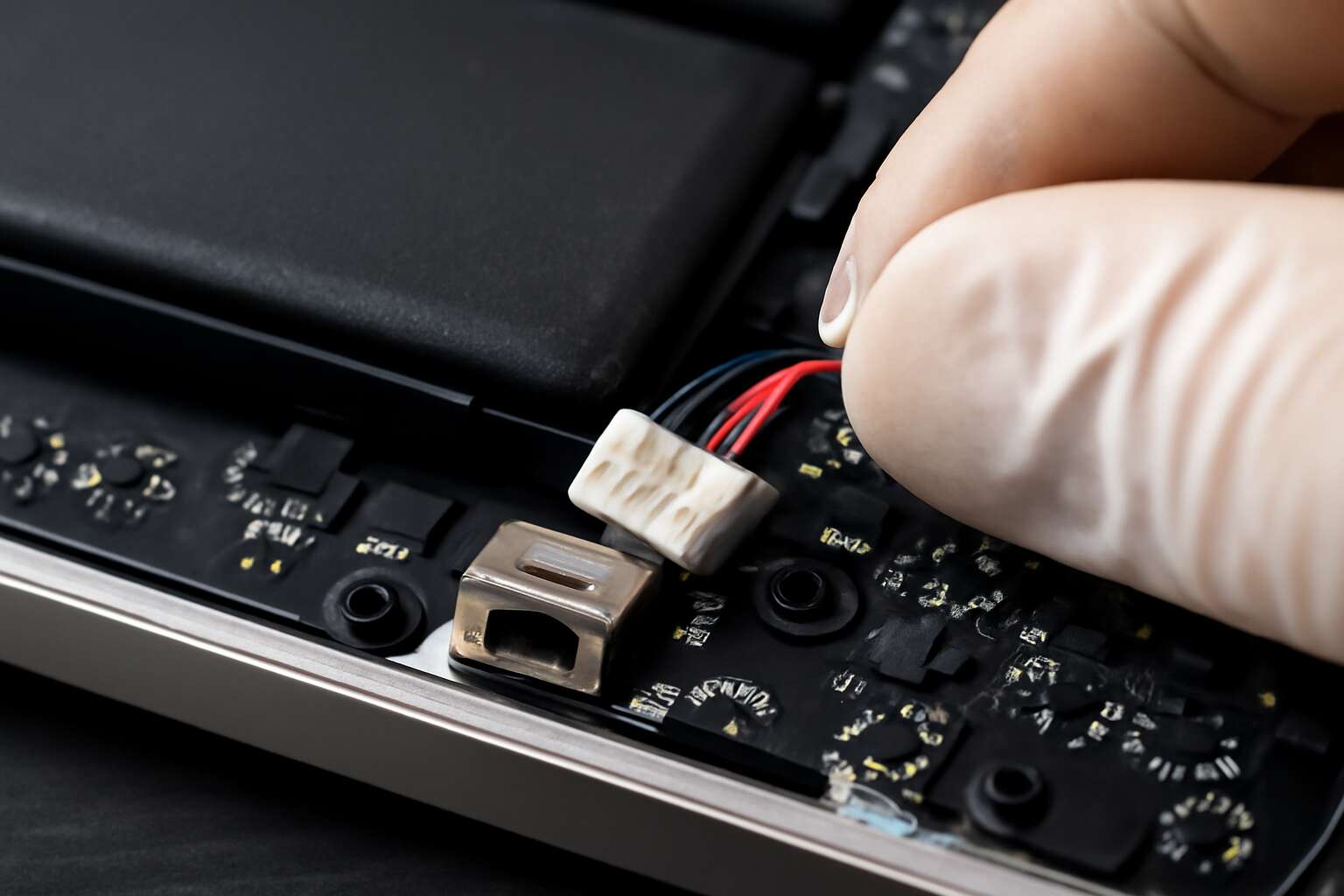
Understanding Laptop Battery Jacks
What is a Laptop Battery Jack?
Imagine a tiny, yet vital gateway that powers your entire day—this is the essence of a laptop battery jack. Often overlooked, this small but mighty component connects your laptop’s battery to its internal circuitry, allowing seamless power transfer. When functioning correctly, it ensures your device remains energized, whether during critical meetings or late-night gaming sessions.
Understanding the role of a laptop battery jack is crucial for anyone who depends on their portable device. It acts as the bridge that facilitates charging and energy flow, making it an essential part of your laptop’s health. Over time, wear and tear or accidental damage can compromise this connection, leading to issues like intermittent charging or complete power failure. Recognizing the signs of a faulty laptop battery jack early can save you from larger repairs down the line.
In essence, the laptop battery jack isn’t just a simple connector; it’s a gateway to uninterrupted productivity and entertainment. Its importance can’t be overstated for anyone seeking a reliable, long-lasting computer experience. When troubleshooting or replacing this component, attention to detail ensures your device remains as robust as the day you first unboxed it.
Function and Importance in Laptop Connectivity
The laptop battery jack is more than a simple connector; it’s the heartbeat of your device’s power system. Without a properly functioning laptop battery jack, charging becomes unreliable, and your laptop risks sudden shutdowns. This component ensures that the energy from your battery flows seamlessly into the internal circuitry, maintaining optimal performance. In fact, many users overlook how critical the laptop battery jack truly is, often discovering issues only after frustration sets in.
Understanding the role of a laptop battery jack in laptop connectivity reveals its importance in everyday use. It acts as the critical link that allows your device to recharge and operate smoothly. When this connection weakens or fails, symptoms like intermittent charging or complete power loss become evident. Recognising these signs early can prevent more extensive damage and costly repairs.
For those in South Africa relying on their laptops for work or entertainment, a robust laptop battery jack is essential. It keeps your device powered and ready, whether you’re in a meeting or on the move. Ensuring the integrity of this small but vital component is key to sustaining long-term laptop performance and avoiding unexpected downtime.
Common Types of Battery Jacks
Understanding the different types of laptop battery jacks can feel like uncovering a hidden code. Each variation is tailored to specific laptop models, making the repair process a nuanced puzzle. The most common types include barrel connectors, pin-based connectors, and more specialized designs like magnetic or flexible jacks. These variations influence how reliably your laptop battery jack functions over time, especially under constant use.
For instance, barrel connectors tend to be the most prevalent, characterized by their cylindrical shape that seamlessly fits into the power port. Pin-based connectors, on the other hand, often feature multiple contact points, ensuring a stable connection but requiring precise alignment. Recognizing these differences can help in diagnosing issues or selecting the right replacement.
When the laptop battery jack begins to falter, understanding its type can mean the difference between a swift fix and a prolonged headache. Whether you’re in South Africa or elsewhere, knowing your specific model’s connection type is essential for maintaining uninterrupted power supply and ensuring your device’s longevity.
How a Battery Jack Differs from Other Power Connectors
Understanding the intricacies of a laptop battery jack reveals a world of subtle engineering marvels. Unlike other power connectors, the laptop battery jack is specifically designed to handle constant, reliable power transfer while accommodating the unique architecture of each device. Its role is crucial—acting as the vital link that keeps your laptop alive and functioning.
What sets the laptop battery jack apart from other power connectors? Primarily, it’s the precision and durability built into its design. Many models feature specialized contact points or magnetic elements, ensuring a snug fit that minimizes wear over time. Recognizing these distinctions can be the key to diagnosing connection issues or selecting an appropriate replacement. For example, a damaged laptop battery jack can cause intermittent charging or total power loss, complicating even routine tasks.
- Compatibility considerations
- The specific design tailored for each laptop model
- Materials used to withstand frequent plugging and unplugging
In essence, understanding what makes a laptop battery jack unique helps protect your device’s longevity and ensures seamless power flow—an often overlooked but critical component in your laptop’s ecosystem.
Signs of a Faulty Laptop Battery Jack
Symptoms of a Loose or Damaged Jack
Sometimes, a laptop battery jack reveals its true nature through subtle signs that are easy to overlook—until they become undeniable. A common symptom of a faulty laptop battery jack is inconsistent charging. You might notice your laptop suddenly powering down despite appearing to be plugged in, or perhaps the charging indicator flickers unpredictably. These quirks often hint at a loose or damaged laptop battery jack, which struggles to establish a stable connection.
Another telltale sign is physical looseness around the charging port—if the connector wobbles or feels less snug than it used to, it’s a red flag. Over time, a problematic laptop battery jack can lead to more serious issues, like complete power failure or overheating. It’s essential to remain vigilant; symptoms such as intermittent charging, unusual heat, or visible damage around the jack should never be ignored. Recognizing these signs early can save you from a complete hardware overhaul, as a damaged laptop battery jack can compromise your device’s longevity and performance.
Impact on Laptop Performance and Charging
When a laptop battery jack begins to falter, its impact on performance is startlingly immediate. You might notice your device refusing to charge despite being plugged in, or the charging indicator flickering like a ghostly anomaly. These signs aren’t just nuisances; they signal a deeper problem lurking within the hardware. Over time, a faulty laptop battery jack can cause your laptop to power down unexpectedly or even overheat, risking irreversible damage.
The connection integrity of the laptop battery jack is vital. A loose or damaged jack hampers the flow of power, leading to inconsistent charging and unpredictable shutdowns. As this issue worsens, it can distort your entire user experience, making even simple tasks a test of patience. Recognizing the signs early is crucial—delayed charging, intermittent power, or odd heat around the port are all clues that your laptop battery jack needs urgent attention.
In many cases, the deterioration of the laptop battery jack can silently sabotage your device’s longevity. If left unchecked, it may even cause damage to the internal motherboard or battery, escalating repair costs significantly. This subtle but persistent malfunction is often underestimated, yet its implications can be far-reaching. Don’t ignore the warning signs; a compromised laptop battery jack is a threat that demands swift action to preserve your device’s performance and lifespan.
Diagnosing Battery Jack Issues
Spotting a faulty laptop battery jack is like catching a ghost—subtle at first but impossible to ignore once the signs escalate. If your laptop suddenly refuses to charge, even when plugged in, and the charging indicator flickers like a haunted lighthouse, you’re likely dealing with a dodgy battery jack. Over time, this sneaky defect can cause your device to shut down unexpectedly or overheat—dangerous territory for any gadget.
Diagnosing these issues isn’t rocket science, but it does require a keen eye. Watch out for inconsistent charging, ports that feel loose or wobbly, and odd heat around the connection area, which is practically screaming for attention. Sometimes, a simple visual inspection reveals a damaged or corroded laptop battery jack, especially if debris or dust has taken up residence inside.
To make matters clearer, consider this:
- The charging port feels loose or wobbly during connection.
- The device only charges intermittently or after wiggling the cable.
- Unusual heat emanates from the laptop battery jack area.
- The charging indicator flickers or shows inconsistent behavior.
In the world of laptops, the integrity of your laptop battery jack isn’t just a minor detail; it’s the unsung hero of reliable performance. Ignoring these warning signs risks transforming your sleek device into a paperweight, or worse, causing internal damage that’s costly to repair. If your laptop battery jack is giving you grief, it’s high time to seek professional diagnosis—before the problem becomes a full-blown hardware nightmare.
Choosing the Right Replacement Battery Jack
Compatibility with Different Laptop Brands and Models
Choosing the perfect replacement for your laptop battery jack is akin to finding a key that fits a secret lock—delicate yet crucial. With the vast array of laptop brands and models in South Africa, compatibility becomes the guiding star in this quest. Each laptop brand whispers its own language when it comes to power connectors, making it essential to select a battery jack that harmonizes seamlessly with your device. A mismatched jack can turn charging into a frustrating ritual, disrupting your workflow and daily rhythm.
To navigate this labyrinth of options, consider the specific model and series of your laptop. Many manufacturers, like Dell, HP, Lenovo, and Asus, have unique specifications for their battery jacks. Here’s a quick guide to compatibility:
- Check the model number and year of manufacture.
- Identify the specific type of battery jack your laptop uses—whether it’s a barrel connector, a pin-type, or a specialized port.
- Consult manufacturers’ documentation or trusted suppliers to find a compatible replacement that ensures reliable connectivity and power flow.
Material and Build Quality to Consider
Choosing the right material and build quality for your laptop battery jack is not just about longevity—it’s about safeguarding the integrity of your device’s power foundation. A robust, high-quality battery jack resists wear and tear, ensuring a reliable connection over countless charge cycles. In South Africa’s diverse landscape, where power fluctuations are common, investing in a durable jack can prevent frustration and the risk of further damage.
Material composition plays a pivotal role; connectors made from corrosion-resistant metals like gold-plated contacts or high-grade alloys offer superior conductivity and longevity. The build quality, including precise manufacturing standards, directly impacts how well the laptop battery jack maintains a secure connection, even after frequent use. When selecting a replacement, consider these factors—your device’s stability depends on it. Remember, a well-crafted battery jack is not just a component; it’s the silent guardian of your laptop’s power flow.
OEM vs. Aftermarket Battery Jacks
Choosing the right replacement laptop battery jack can feel overwhelming, especially with so many options flooding the market. Should you opt for OEM (Original Equipment Manufacturer) parts or consider aftermarket battery jacks? OEM battery jacks are engineered specifically for your laptop brand, ensuring a perfect fit and reliable performance. They often come with the assurance of quality, matching the original standards set by the manufacturer, which can be crucial for maintaining your device’s longevity.
On the other hand, aftermarket battery jacks are typically more affordable and readily available. While they may not always match OEM standards perfectly, many reputable brands produce aftermarket parts that meet rigorous quality benchmarks. When selecting between the two, it’s wise to weigh factors like durability, compatibility, and warranty. For those living in South Africa’s unpredictable power environment, investing in a high-quality OEM or a trusted aftermarket battery jack can mean the difference between a smooth charging experience and frequent frustrations.
Installing a New Laptop Battery Jack
Tools Needed for Replacement
Installing a new laptop battery jack is a delicate yet rewarding process that breathes new life into your device. To undertake this task, the right tools are essential, transforming a daunting chore into a precise craft. A small Phillips screwdriver, plastic pry tools, tweezers, and a soldering iron often become your trusted companions in this journey.
First, power down your laptop and disconnect all cables. Carefully remove the back panel, exposing the internal components. The laptop battery jack, often nestled near the power input, must be gently desoldered if it’s a surface-mount type, or carefully unclipped if it’s a socket-style jack.
- Precision screwdriver set
- Plastic opening tools
- Soldering iron and solder
- Tweezers
Patience and a steady hand are vital, as this process demands meticulous attention to detail. Once the old laptop battery jack is removed, position the new component with care, ensuring all connections are secure before reassembling your device. This meticulous process not only restores functionality but also preserves the laptop’s seamless performance and aesthetic integrity.
Step-by-Step Installation Guide
Replacing a laptop battery jack requires patience, precision, and an eye for detail—almost like unraveling a mystery hidden within your device. The process begins with a thorough power-down, ensuring all cables are disconnected to prevent any accidental short circuits. Once the back panel is carefully removed, the real challenge begins: locating the elusive laptop battery jack nestled near the power input.
With the right tools—such as a precision screwdriver set, plastic opening tools, tweezers, and a soldering iron—you can delicately desolder or unclasp the faulty jack. The key is to work slowly, maintaining a steady hand as you disconnect the old component. Carefully position the new laptop battery jack, ensuring all connections are secure and firmly in place. This meticulous process demands focus, but the reward is restoring your laptop’s charging capability and overall performance.
For optimal results, follow these steps in order:
- Power down and disconnect all cables.
- Remove the back panel with a plastic pry tool.
- Locate the laptop battery jack near the power port.
- Desolder or gently disconnect the old jack using a soldering iron or clips.
- Position the new jack, ensuring perfect alignment.
- Secure all connections and test before reassembling.
Each step is a puzzle piece—when assembled correctly, it breathes new life into your device, ensuring seamless connectivity and charging once more. The subtle intricacies of replacing a laptop battery jack highlight just how vital this small component truly is in the grand symphony of your laptop’s operation.
Safety Precautions During Replacement
Replacing a laptop battery jack is a delicate dance with technology—an intricate ritual that demands respect for the tiny yet vital component that keeps your device alive. As with any surgical procedure on modern machinery, safety precautions are paramount to prevent mishaps or further damage. Ensuring your workspace is static-free and well-lit creates an environment where precision can thrive, much like an alchemist’s lab.
Before embarking on this journey, disconnect all cables and power sources. Wearing an anti-static wrist strap can be a safeguard against static electricity, which might otherwise fry sensitive circuitry. During the replacement of your laptop battery jack, avoid rushing—patience is your greatest ally. Using tools like a soldering iron and plastic pry tools with care ensures that the fragile connections remain intact. Remember, a careful approach preserves not only the integrity of the laptop battery jack but also your own safety during the process.
Professional Repair Services vs. DIY Repair
When it comes to installing a new laptop battery jack, the choice between professional repair services and a DIY approach can be as stark as a hero’s quest versus a solitary voyage. While the allure of fixing your device at home beckons with promises of savings and mastery, the labyrinthine nature of laptop repair often demands a seasoned hand. A skilled technician brings not only expertise but also the precision tools necessary to navigate the delicate terrain of the laptop battery jack, safeguarding your device’s intricate circuitry.
Opting for professional repair services ensures that the replacement process adheres to industry standards. Reputable technicians possess a deep understanding of various laptop brands and models, allowing them to perform the installation with minimal risk. This meticulous approach is especially crucial when dealing with the fragile connections of the laptop battery jack, which, if mishandled, could lead to further complications or even total device failure.
- Assessment of the existing jack and identifying underlying issues
- Careful disassembly to access the laptop battery jack
- Precision soldering and reattachment to ensure optimal connectivity
- Thorough testing before returning the device to its owner
While DIY repair might seem tempting, it’s a venture fraught with peril if not approached with the right tools and experience. The realm of laptop repair is a delicate one, where a single misstep can turn a simple fix into a costly nightmare. Ultimately, choosing a professional for installing a new laptop battery jack guarantees peace of mind, longevity, and the preservation of your device’s integrity. After all, this tiny component is the lifeblood of your laptop’s power symphony—treat it with reverence.
Maintenance and Care for Laptop Battery Jacks
Tips to Prolong Battery Jack Lifespan
In the labyrinthine realm of laptop maintenance, the importance of caring for your laptop battery jack cannot be overstated. A neglected battery jack is akin to a fragile thread in a tapestry—once compromised, the entire fabric risks unraveling. Regular inspection and gentle handling serve as the first line of defense against premature wear or damage. Dust, debris, and corrosion can silently infiltrate the delicate components, causing intermittent charging issues or complete failure.
To prolong the lifespan of your laptop battery jack, adopting a mindful approach is essential. Avoid yanking or forcing the charging cable, and always connect it carefully to prevent undue stress on the port. Incorporating routine cleaning, such as using compressed air to clear away dust, can significantly reduce the risk of connection faults. For those who wish to go a step further, a simple
- visual inspection
- checking for loose or bent pins
can reveal underlying issues before they escalate into costly repairs. Remember, patience and gentle care are the most effective tools in safeguarding your laptop battery jack’s longevity.
Avoiding Damage to the Power Port
Maintaining the integrity of your laptop battery jack is an act of quiet reverence—recognizing that beneath the sleek exterior lies a delicate conduit vital to your device’s vitality. Gentle handling of the power port not only preserves its function but also ensures seamless connectivity for years to come. When connecting or disconnecting your charging cable, always do so with patience; yanking or forcing can induce subtle damage that escalates over time. Remember, a well-maintained laptop battery jack is the silent guardian of your laptop’s longevity.
To prevent damage, incorporate routine care that includes inspecting the port for debris or corrosion. Using compressed air to clear dust and debris is a simple yet effective practice.
- Regularly check for bent or loose pins
- Handle cables with care to avoid undue stress
These small acts of mindfulness extend the lifespan of your laptop battery jack, safeguarding your device against unexpected failures. The key lies in consistent, gentle attention—each moment spent caring for the power port is a testament to your respect for your device’s intricate design.
Cleaning and Troubleshooting Common Issues
Maintaining your laptop battery jack isn’t just about avoiding costly repairs; it’s about safeguarding the heartbeat of your device. Regular cleaning can prevent dust, dirt, and debris from sneaking into the port and causing poor connectivity. A quick burst of compressed air can do wonders—think of it as a tiny, powerful gust of wind clearing out the clutter. Troubleshooting common issues often starts with inspecting the battery jack for visible damage or corrosion, which can compromise the power flow. Sometimes, the problem is as simple as a loose connection or bent pins, which can be remedied with a gentle touch or basic tools.
For persistent problems, consider the following approach:
- Turn off your laptop and disconnect the power supply.
- Carefully examine the battery jack for debris or corrosion.
- Use a soft brush or compressed air to clean the port.
- Check for bent or loose pins—if you notice any, professional repair might be necessary.
Remember, a well-maintained laptop battery jack is crucial for uninterrupted charging and overall device longevity. Small acts of care, like gentle handling and routine inspections, can save you from unexpected downtime and costly repairs—so treat your laptop’s power port with the reverence it deserves! Proper maintenance ensures your laptop remains a reliable partner, ready to keep up with your busy South African lifestyle.
Where to Buy Laptop Battery Jacks
Trusted Retailers and Online Platforms
Finding a reliable source to purchase a laptop battery jack can feel like navigating a labyrinth—yet, the right retailer makes all the difference. Trusted retail outlets and online platforms ensure you receive authentic, high-quality components that prolong your device’s lifespan and maintain optimal performance. In South Africa, several established vendors stand out for their commitment to quality and customer satisfaction.
Online marketplaces such as Takealot and Bidorbuy offer an extensive range of laptop battery jacks suitable for various models. These platforms often feature user reviews and detailed product descriptions, helping you make informed decisions. Additionally, specialized electronics shops like Evetech and Cape Union Mart provide expert guidance and genuine parts for those preferring in-person shopping.
- Verify the retailer’s reputation for offering genuine parts.
- Check for warranty and return policies to safeguard your purchase.
- Ensure compatibility with your specific laptop model before buying.
By choosing trusted retailers and online platforms, you can confidently replace or upgrade your laptop battery jack, restoring your device’s power connection with ease and assurance. Remember, sourcing the right part is the first step toward seamless, uninterrupted laptop performance!
Tips for Verifying Compatibility and Authenticity
Finding a reliable source to purchase a laptop battery jack can feel like searching for a needle in a haystack. With so many online platforms and local stores, how do you ensure you’re getting an authentic and compatible part? The key is to verify the credibility of the retailer before making a purchase. Trusted online marketplaces in South Africa, such as Takealot and Bidorbuy, often list detailed product descriptions and customer reviews that can guide your decision. Checking these reviews helps confirm the authenticity of the laptop battery jack and its suitability for your device.
For added peace of mind, consider these verification steps:
- Confirm the retailer’s reputation for genuine parts and reliable service.
- Look for clear warranty and return policies to protect your investment.
- Double-check that the laptop battery jack matches your specific laptop model to prevent compatibility issues.
Whether shopping online or in-store, prioritizing authenticity and compatibility ensures your laptop’s power connection remains robust. Sourcing the right laptop battery jack from reputable vendors not only prolongs your device’s lifespan but also keeps your workflow uninterrupted and efficient. Remember, a well-chosen part makes all the difference in maintaining optimal performance.
Cost Considerations and Warranty Options
In the bustling marketplace of South Africa, where technology’s pulse quickens with every passing day, the question of where to buy a laptop battery jack becomes more than just a matter of choice—it transforms into a quest for trust and value. The cost of a laptop battery jack can vary widely, influenced by the quality, brand, and source of purchase. While some vendors offer budget-friendly options, these may sometimes lack the durability or authenticity crucial for your device’s longevity.
Reputable online platforms such as Takealot and Bidorbuy often feature detailed listings, transparent pricing, and customer reviews—guiding you towards a purchase that balances affordability with reliability. When considering your investment, it’s wise to scrutinize warranty options offered by the seller. A comprehensive warranty not only safeguards your purchase but also reflects the confidence the retailer has in their product, ensuring peace of mind amid the digital chaos.
Ultimately, sourcing a laptop battery jack from a trusted vendor—whether online or in-store—becomes a silent promise of quality and compatibility. Remember, in the realm of technology, a small detail like a battery jack can make all the difference, turning a moment of frustration into seamless power and performance.
FAQs About Laptop Battery Jacks
Can a damaged battery jack be repaired?
When it comes to the fragile dance of power and portability, the laptop battery jack often takes center stage — albeit quietly suffering from neglect. So, can a damaged battery jack be repaired? The answer, much like the fate of a forgotten charger, hinges on the severity of the damage and the expertise at hand. In many cases, a skilled technician can revive a worn or slightly damaged laptop battery jack through meticulous soldering or replacement of the entire connector.
However, it’s essential to recognize that not all damage is created equal. If the jack has been subjected to excessive force or corrosion, repair might not be practical or cost-effective. Sometimes, a complete replacement of the laptop battery jack is the most prudent course to restore both functionality and safety. Remember, attempting DIY repairs without proper tools and knowledge can further compromise the device — so when in doubt, consulting a professional is the wisest choice.
How to test if my battery jack is faulty?
Testing whether your laptop battery jack is faulty can be surprisingly straightforward, yet it requires a keen eye for detail. A common sign of a problematic battery jack is inconsistent charging — your laptop might suddenly stop charging despite being plugged in, or the connection may feel loose or wobbly. To diagnose this, start by gently wiggling the charging plug while observing the battery indicator. If it flickers or disconnects at the slightest movement, the battery jack could be the culprit.
Another effective method involves inspecting the port visually for signs of corrosion, dirt, or physical damage. Sometimes, a simple cleaning with compressed air or a soft brush can resolve minor issues. If these steps don’t clarify the problem, consider testing with a different charger known to be working. If the laptop still refuses to charge, then the fault likely resides in the laptop battery jack itself.
- Ensure the charger is functioning properly by testing it on another compatible device.
- Observe if the laptop recognizes the charger when plugged in, or if it defaults to battery power only.
- Use a multimeter to check for voltage at the port — this is a more advanced step but offers definitive insight.
Ultimately, if you notice persistent charging issues despite these tests, it’s a strong indicator that the laptop battery jack may be faulty. When that’s the case, consulting a professional technician becomes essential to avoid further damage and ensure your device’s longevity.
Is replacing a battery jack complicated?
Replacing a laptop battery jack might sound like a daunting task, but it’s often more manageable than many assume. The complexity largely depends on your technical skill level, the laptop model, and whether you have access to specialized tools. For those with some experience in delicate electronics, replacing the laptop battery jack can be straightforward, especially if you follow detailed guides. However, for the average user, seeking professional repair services may be the safer choice to prevent further damage.
Many technicians suggest that the process involves careful disassembly, precise soldering, and reassembly — steps that require patience and attention to detail. If you’re considering a DIY approach, be aware that improper handling can lead to additional issues, such as damaging the motherboard or other internal components. Ultimately, the decision to replace the laptop battery jack yourself or hire a professional hinges on your comfort level with electronics repair and the specific model of your device. Remember, some laptop battery jacks are integrated into the motherboard, making the replacement process more complex and time-consuming.
What to do if my laptop doesn’t recognize the new battery jack?
If your laptop no longer recognizes the new battery jack, it can be a deeply frustrating experience. Sometimes, it’s a simple glitch, while other times, it hints at a deeper issue within the intricate circuitry of your device. The first step is to ensure that the battery jack is properly connected and seated. A loose connection can cause the laptop to ignore the new component entirely.
Next, check the compatibility of the replacement battery jack with your specific laptop model. Incompatibility often leads to recognition issues. If everything seems in order but the problem persists, consider performing a system reset or updating your BIOS, as these steps can sometimes recalibrate the hardware recognition system.
- Verify the connection stability of the laptop battery jack.
- Ensure the replaced jack matches your laptop’s specifications.
- Update your system BIOS and drivers to facilitate recognition.
If these measures don’t work, there might be a fault within the motherboard or a need for more advanced diagnostics. Sometimes, the internal circuitry may require professional intervention, especially if the battery jack was integrated into the motherboard, making DIY repairs more complex. Recognizing when to seek expert help is vital to avoid further damage and ensure your laptop’s longevity.




0 Comments