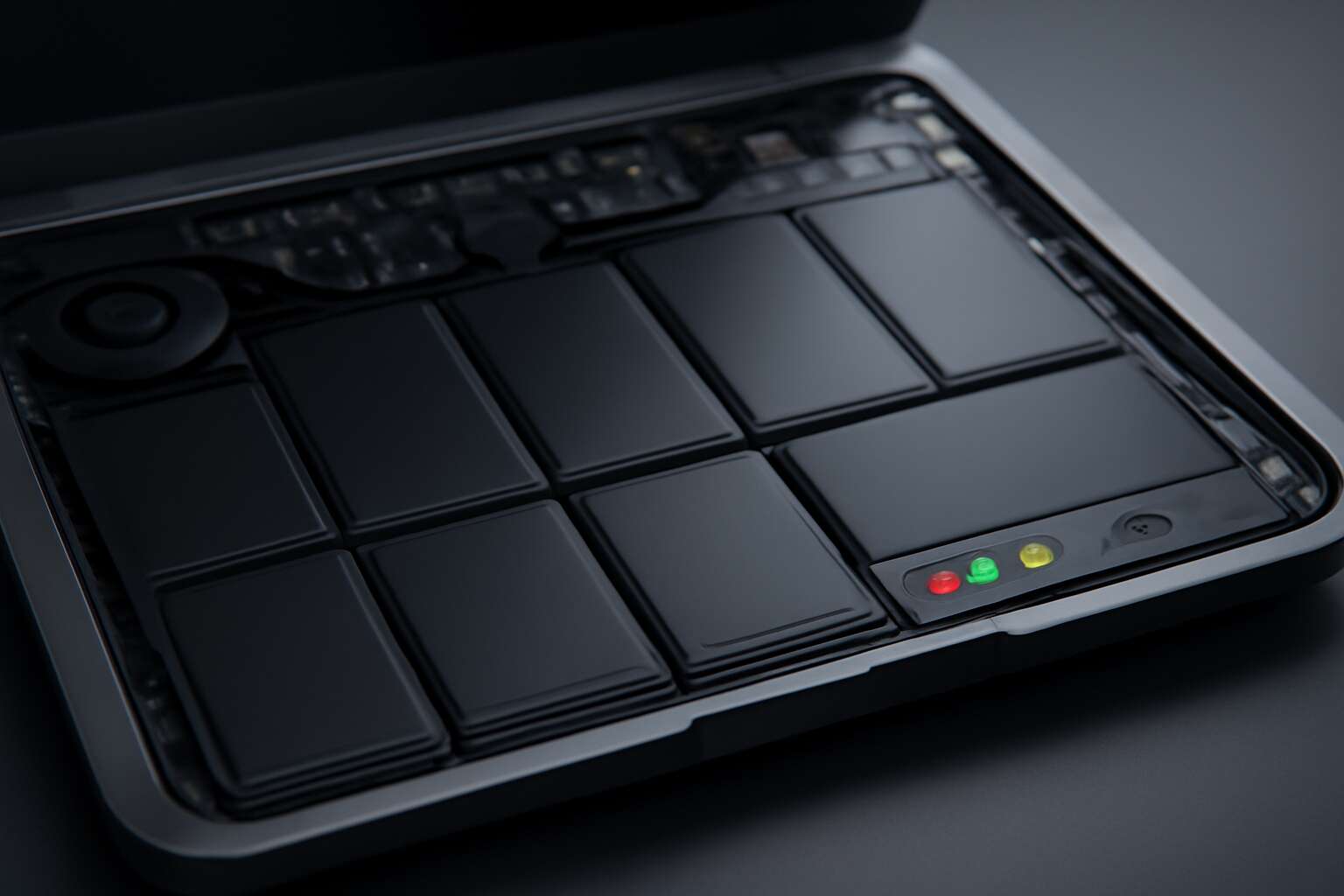
Understanding Laptop Battery and Cell Fundamentals
What Is a Laptop Battery?
A laptop battery isn’t just a sleek container of juice; it’s a complex symphony of chemistry and engineering designed to keep your device humming without a power outlet. When you hear “laptop battery and cell,” think of each cell as a tiny powerhouse, tirelessly working to convert chemical energy into the electrical current that fuels your digital life. These cells are the unsung heroes that determine how long your laptop can run before it demands a recharge. Interestingly, the efficiency and longevity of a laptop battery hinge on the quality of its cells—think of it as choosing premium ingredients for a gourmet meal. Without a solid understanding of these fundamental components, even the most advanced laptops are left vulnerable to the dreaded “battery drain,” especially in South Africa’s often unpredictable power landscape. A well-made laptop battery can make the difference between being tethered to an outlet or enjoying true portability, no matter where you are.
Components of a Laptop Battery
Understanding the fundamentals of a laptop battery and cell is essential for anyone relying on portable technology, especially in South Africa where power instability is common. At its core, a laptop battery consists of multiple individual cells working in unison to store and deliver electrical energy. Each cell functions as a tiny energy factory, transforming chemical compounds into the power needed to keep your device running. The quality and design of these cells directly influence the battery’s overall lifespan and performance.
Components of a laptop battery include not just the cells, but also protective circuitry and connectors that ensure safe operation. The cells themselves can be classified broadly into two types: lithium-ion and lithium-polymer, with lithium-ion being more prevalent due to their high energy density. When choosing a replacement or upgrade, it’s crucial to consider the specifications of your laptop battery and cell, as compatibility and quality determine how long your device will operate before requiring a recharge.
Types of Laptop Cells
In the world of portable technology, understanding the fundamentals of a laptop battery and cell is akin to knowing the secret recipe behind a perfectly brewed cup of South African coffee—essential for those who depend on seamless power. Each laptop battery is a sophisticated ensemble of individual cells working in harmony, transforming chemical energy into the electrical power that sustains your device’s vitality. These cells are the heart and soul of your portable companion, dictating both performance and longevity.
When delving into the types of laptop cells, two prominent contenders emerge: lithium-ion and lithium-polymer. Lithium-ion cells dominate the market due to their high energy density, meaning they pack a punch without taking up too much space. Meanwhile, lithium-polymer cells, known for their flexible form factors and safer chemistry, are often reserved for sleeker, more innovative designs.
- High energy density
- Enhanced safety features
- Durability in varying conditions
Choosing the right laptop battery and cell isn’t merely a matter of brand preference; it’s about matching your device’s specific needs with the cell’s capabilities, especially in regions like South Africa, where power stability can be unpredictable. Recognizing the different types and qualities of these cells ensures your laptop remains a reliable workhorse, whether you’re navigating urban jungles or remote rural landscapes.
Types of Laptop Battery Cells
Lithium-Ion (Li-ion) Cells
Among the various types of laptop batteries, Lithium-Ion (Li-ion) cells stand out as the most prevalent and reliable choice today. Their popularity stems from an impressive balance of energy density, longevity, and lightweight design—qualities vital for both professional and casual users. Unlike older battery technologies, Li-ion cells can hold a charge longer and recharge more efficiently, making them indispensable in the fast-paced world of modern technology.
Li-ion cells are composed of a positive electrode (cathode), a negative electrode (anode), and an electrolyte that facilitates the movement of ions during charging and discharging cycles. This intricate chemistry allows a laptop battery to deliver consistent power while maintaining a relatively compact form factor. For those seeking durability and performance, understanding the nuances of these cells can make all the difference.
- High energy density: more power in less space.
- Long cycle life: withstands hundreds of recharge cycles without significant capacity loss.
- Lightweight construction: ideal for portable laptops.
In South Africa, where reliable power sources are often a challenge, a well-maintained laptop battery and cell can be a lifeline—ensuring productivity and connection regardless of the circumstances. Recognizing the strengths of Lithium-Ion cells can empower users to select the right laptop battery for their needs, ultimately enhancing their digital experience.
Lithium Polymer (Li-poly) Cells
Among the diverse landscape of laptop battery and cell technologies, Lithium Polymer (Li-poly) cells stand out with a quiet yet powerful presence. Known for their flexible design and slim profile, these cells are often the secret weapon behind ultra-portable laptops. Unlike traditional lithium-ion cells, Li-poly batteries utilize a gel-like electrolyte, which allows manufacturers to craft thinner, more adaptable shapes without sacrificing performance.
This adaptability makes Li-poly cells ideal for sleek, modern laptops that demand both style and substance. They also offer high energy density—delivering more power in less space—while maintaining a lightweight build that’s perfect for users on the move. In regions like South Africa, where power stability can be unpredictable, a dependable laptop battery and cell become essential for uninterrupted productivity.
For those seeking longevity, Li-poly cells provide a durable solution, capable of enduring hundreds of recharge cycles with minimal capacity loss. Their innovative chemistry and design continue to push the boundaries of what a laptop battery can achieve, shaping the future of portable computing.
Nickel-Based Cells (NiMH, NiCd)
Nickel-based cells, such as Nickel-Metal Hydride (NiMH) and Nickel-Cadmium (NiCd), have long been the unsung heroes of the laptop battery and cell universe. Despite the rise of lithium technology, these older chemistries still hold relevance, especially in specialized applications. NiMH cells, known for their high capacity and reduced memory effect, are often used in rugged or industrial-grade laptops where durability trumps slimness.
Meanwhile, NiCd cells, with their legendary resilience, excel in environments where extreme temperature tolerance and quick charge capabilities are critical. Though they tend to be bulkier and less energy-dense, their robustness makes them invaluable in scenarios demanding unwavering reliability. For those who need a dependable laptop battery and cell in regions like South Africa, understanding these traditional chemistries can be the key to ensuring uninterrupted productivity in unpredictable power conditions.
Comparing Different Battery Cell Technologies
When comparing different battery cell technologies for a laptop battery and cell, the choice often hinges on the specific demands of the user. Traditional nickel-based cells, such as NiMH and NiCd, continue to serve niche markets with remarkable resilience. These older chemistries are known for their durability and ability to withstand harsh conditions—qualities that are invaluable in regions like South Africa, where power unpredictability is common.
Unlike lithium-ion and lithium polymer cells, nickel-based cells tend to be bulkier, but their robustness remains unmatched in certain scenarios. For instance, NiCd cells excel in environments with extreme temperature fluctuations and rapid charging needs. Meanwhile, NiMH cells offer higher capacity and a lower memory effect, making them suitable for rugged industrial laptops used in remote areas. Understanding these distinctions can be the difference between reliable performance and unexpected downtime, especially in areas where reliable electricity is a luxury.
Performance Factors of Laptop Cells
Capacity and Run Time
When it comes to the performance factors of a laptop battery and cell, capacity and run time reign supreme. Think of capacity as the fuel tank of your portable powerhouse—more capacity means longer hours of productivity before the dreaded recharge alarm blares. A high-capacity laptop battery and cell can keep you scrolling through spreadsheets or binge-watching your favorite series without constantly hunting for a power outlet.
Run time, on the other hand, is the real-world measure of how long your laptop can operate on a single charge. It hinges on the efficiency of the battery technology, the power demands of your device, and even the ambient temperature. A cell with impressive capacity might still fall short if it’s not optimized for energy conservation, leaving you stranded in the middle of a crucial presentation.
In the relentless quest for longer battery life, manufacturers often consider factors like discharge rate and internal resistance. For those in South Africa, where power outages are as common as sunrises, choosing a laptop battery and cell with superior performance factors can be the difference between productivity and frustration. Here are some key considerations:
- Capacity (measured in mAh or Wh)
- Run time under typical usage conditions
- Discharge rate efficiency
- Internal resistance and heat management
Charge Cycles and Longevity
In the realm of enduring laptop performance, the magic lies not only in capacity but also in the resilience of the charge cycles and the lifespan of each laptop battery and cell. Every time you power up, your battery embarks on a delicate dance—discharging and recharging—each cycle subtly shaping its future vitality. The number of charge cycles a laptop battery and cell can endure before their capacity diminishes significantly is a critical factor for those who demand longevity as steadfast as the sun’s journey across the sky.
Advanced battery technology continually pushes these boundaries, with some high-quality cells offering upwards of 500 to 1,000 charge cycles. This longevity is vital for users in South Africa, where unpredictable power outages demand a dependable power source. The internal resistance within the cell acts as a silent guardian, influencing heat generation and overall durability. A well-designed battery minimizes internal resistance, ensuring the laptop battery and cell maintain their vigor through countless recharges.
Charging Speed and Efficiency
Performance factors such as charging speed and efficiency are crucial when evaluating a laptop battery and cell. While capacity determines how long your device lasts, the way it charges directly impacts productivity—especially in environments with unreliable power sources like South Africa. A high-quality laptop battery and cell should deliver rapid charging without compromising longevity, ensuring minimal downtime during busy workdays.
Modern laptop cells are engineered to optimize charging efficiency through advanced internal circuitry. This technology manages heat and internal resistance, which are key to maintaining a stable charge cycle. As a result, the battery not only charges faster but also sustains its capacity over time. Some cells even feature smart charging algorithms that adapt to your usage patterns, further enhancing performance and lifespan.
- The internal resistance within the laptop battery and cell influences how quickly it can be charged and how efficiently it retains power. Lower resistance translates to less heat and better overall durability.
- Charging speed varies depending on the cell’s chemistry and design. Lithium-polymer cells, for example, typically support faster charging than traditional nickel-based counterparts, making them a popular choice for modern laptops.
In the end, selecting a laptop battery and cell with superior charging efficiency isn’t just about faster power-ups—it’s about ensuring consistent performance and extended lifespan, vital qualities for users navigating South Africa’s often unpredictable power landscape.
Temperature Effects on Battery Cells
Temperature may seem like an innocuous detail, but when it comes to laptop battery and cell performance, it wields astonishing influence—think of it as the silent puppeteer behind your device’s stamina. Excessive heat accelerates chemical reactions within the battery, hastening capacity fade and risking dangerous thermal runaway. Conversely, cold environments can temporarily diminish your laptop battery and cell’s ability to hold charge, leaving you stranded in a less-than-ideal power pinch.
Maintaining an optimal temperature range—roughly 20°C to 25°C—is essential for prolonging the lifespan of your laptop battery and cell. Some modern devices incorporate thermal management systems, such as heat sinks and intelligent cooling algorithms, to mitigate temperature spikes. For those in South Africa, where sudden temperature fluctuations are common, choosing a battery with robust thermal regulation can make all the difference. After all, a well-tempered battery is a loyal companion, not a ticking time bomb.
In essence, the interplay between temperature and the internal chemistry of the laptop battery and cell underscores the importance of environment-aware design. Ignoring this vital factor can lead to reduced efficiency and shortened longevity, turning your laptop into a fleeting luxury rather than a reliable workhorse. A savvy user recognizes that safeguarding against temperature extremes is as crucial as selecting the right cell chemistry in the first place.
Battery Life and Maintenance
How to Maximize Battery Lifespan
In the shadowed corridors of modern technology, the lifespan of a laptop battery and cell is a silent testament to the whispers of time and use. A battery’s life is not merely measured in charge cycles but in the delicate dance of chemistry and temperature, which can either extend its vitality or hasten its demise. To truly maximize the longevity of your laptop battery and cell, one must become a steward of its silent saga, guarding it against the perils of neglect and environmental torment.
Maintaining optimal charge levels—avoiding the extremes of full depletion or constant full charges—can preserve the intricate balance within the battery. Keep your device in a cool, dry sanctuary, as excessive heat acts as a specter that shortens the life of your battery and cell. Regularly calibrating your device’s power indicator and avoiding prolonged periods of disuse will help sustain its mystical energy. Remember, a well-cared-for battery and cell are not just tools but a companion that grants your digital journey a longer, more faithful life.
Signs of a Deteriorating Battery
As laptops become essential companions in our daily lives, recognizing the signs of a deteriorating laptop battery and cell is crucial for maintaining peak performance. Over time, you may notice the battery’s capacity diminishes, causing shorter usage periods and more frequent charging cycles. A sudden drop in runtime isn’t just inconvenient—it signals that your battery’s health is waning.
One telltale sign is the device’s inability to hold a charge or unexpected shutdowns even when the battery indicator suggests remaining power. Additionally, excessive heat during operation, swelling of the battery, or swelling of the laptop itself can be indicators of impending failure. If your laptop battery and cell show these signs, it might be time for a replacement. Regularly monitoring these symptoms ensures your device remains reliable and extends the overall lifespan of your laptop’s power source.
Proper Charging Techniques
In the symphony of modern life, a laptop’s battery and cell are the silent maestros guiding our daily rhythm. Achieving optimal battery life hinges on understanding how proper charging techniques can prolong the harmony of your device’s power source. Each charge cycle, a delicate dance of electrons, can either extend or diminish the lifespan of your laptop battery and cell. When managed with care, your laptop’s vitality can be preserved for months, even years.
To maintain this delicate balance, it’s wise to follow a few simple principles. Avoid letting the battery drain completely before recharging; instead, keep the charge between 20% and 80%. This practice minimizes stress on the battery and advocates for longevity. Regularly calibrating your laptop by fully charging and discharging it occasionally can also help maintain accurate battery readings.
In addition, consider the environment — heat is the silent enemy of your laptop battery and cell, accelerating capacity loss. By keeping your device cool and avoiding prolonged exposure to high temperatures, you safeguard the integrity of each cell within your battery. Proper maintenance isn’t just about preserving power; it’s about empowering your device to perform at its peak, day after day, charge after charge.
Storage Tips for Laptop Batteries
In the realm of portable power, the longevity of your laptop battery and cell hinges not only on its inherent quality but also on meticulous maintenance. Proper storage is paramount; when not in use for extended periods, store your device in a cool, dry place, ideally between 40% and 60% charge. This prevents the battery from falling into a state of deep discharge or overcharge, both of which can irreparably harm its capacity.
To preserve peak performance, consider routine maintenance practices such as avoiding high temperatures and extreme humidity—enemies that accelerate capacity loss. When in doubt, a simple yet effective approach is to periodically power down your device and recharge it to maintain an optimal charge level, thereby safeguarding the delicate chemistry within each cell of your laptop battery and cell.
- Keep your device in a temperate environment.
- Store the battery at partial charge rather than full or empty.
- Perform regular calibration cycles to ensure accurate battery readings.
By embracing these storage tips, you extend the life of your laptop battery and cell, ensuring your device remains a steadfast companion through countless digital journeys. The secret lies in understanding that each cell’s vitality is a fragile treasure—one that thrives with proper care and mindful handling.
Replacing and Upgrading Laptop Cells
When to Replace Your Laptop Battery
There’s an undeniable truth lurking beneath the surface of modern technology: even the most sophisticated laptop battery and cell will eventually reach its breaking point. When your device no longer holds a charge or the runtime diminishes to a fraction of what it once was, it’s a silent signal—your laptop battery and cell are calling for renewal. Ignoring these signs not only hampers productivity but also risks damaging other components over time.
Replacing or upgrading your laptop battery and cell isn’t merely about extending lifespan; it’s about reclaiming a sense of control over your device’s longevity. In many cases, a straightforward replacement of the battery cell can breathe new life into an aging machine, transforming it from sluggish to sprightly once more. For those who prefer a more robust approach, upgrading to a higher-capacity cell can offer significantly longer run times—perfect for South African professionals constantly on the move.
Knowing when to replace your laptop battery and cell is crucial. If you notice rapid battery drain, frequent recharging, or the device abruptly shutting down, it’s time to consider a replacement. In such moments, a careful assessment of your current battery health—perhaps through diagnostic tools—can reveal whether an upgrade or full replacement is the most sensible course of action.
Choosing the Right Replacement Cells
Replacing or upgrading your laptop battery and cell can be a game-changer—think of it as giving your trusty machine a much-needed shot of adrenaline. When selecting the right replacement cells, it’s essential to prioritize quality over cost; a cheap knockoff might save you a few rand now but could lead to overheating or shortened lifespan down the line. Opt for reputable brands that specify compatibility with your laptop model, ensuring seamless integration and optimal performance.
Choosing the appropriate cell type depends on your usage habits. For instance, if you’re always on the move—a common scenario for South African professionals—consider high-capacity cells that promise longer run times. Here are some tips to guide your decision:
- Match the voltage and capacity specifications precisely to avoid compatibility issues.
- Check for certifications and safety features—like overcharge protection—to keep your device and your peace of mind intact.
- Consult professional technicians if you’re unsure—an improper fit can turn your upgrade into a costly mistake.
In the end, selecting the right laptop battery and cell isn’t just about extending battery life; it’s about investing in reliability and safety. A well-chosen replacement can transform your aging device from a sluggish companion into a reliable workhorse—ready to tackle whatever the day throws at you in the vibrant landscape of South Africa’s digital economy.
DIY vs Professional Replacement
Replacing or upgrading your laptop battery and cell can feel like infusing new life into an aging companion. When considering whether to embark on a DIY journey or entrust your device to a professional technician, it’s crucial to weigh the risks and rewards. DIY replacements can be tempting for their cost-effectiveness, yet they often come with pitfalls—improper fitting or safety hazards that could damage your laptop or compromise your safety.
Professional replacement, on the other hand, offers peace of mind. Skilled technicians possess the expertise to ensure your laptop battery and cell are correctly installed, maintaining optimal performance and safety standards. They also have access to high-quality, certified replacement cells that are compatible with your device, which is vital for longevity and reliability.
For those inclined to go the DIY route, here are some essential steps:
- Acquire the correct replacement cell tailored to your laptop model.
- Follow manufacturer instructions meticulously to avoid damaging delicate components.
- Use proper tools and safety gear to prevent accidents.
Ultimately, whether you choose the hands-on approach or seek professional assistance, prioritizing quality and compatibility ensures your laptop battery and cell will serve you faithfully for miles to come—transforming your device from a sluggish relic into a vibrant powerhouse ready to conquer the demands of South Africa’s dynamic digital landscape.
Cost Considerations
Replacing or upgrading your laptop battery and cell can be a surprisingly penny-wise decision—if you know what you’re doing. In South Africa’s bustling digital economy, a reliable laptop battery is more than just a convenience; it’s a necessity. The cost of a new laptop battery and cell varies widely depending on the quality, brand, and compatibility. Generally, you can expect to pay anywhere from R500 to R2500 for a genuine replacement, with premium cells offering longer lifespan and better performance.
Opting for cheaper, off-brand options might save you a few rand now, but the risks—shorter lifespan, safety concerns, and potential damage—are often not worth the savings. Professional replacement services can charge a bit more but provide peace of mind, ensuring your laptop battery and cell are installed correctly and safely. For budget-conscious tech aficionados, a well-researched DIY approach can be rewarding, but only if you’re prepared for the potential pitfalls. Ultimately, investing in quality is an investment in durability, ensuring your laptop remains a trusty sidekick in South Africa’s dynamic digital landscape.
Impact of Battery Technology on Laptop Design
Battery Size and Weight
The evolution of battery technology has become a silent architect behind the sleek, powerful design of modern laptops. As innovation marches forward, the size and weight of the laptop battery and cell have been dramatically transformed, enabling devices to become more portable without sacrificing endurance. Today’s battery advancements allow for thinner profiles and lighter weights—an elegant dance between form and function that redefines mobility.
However, this quest for portability introduces a complex balancing act. A larger battery provides prolonged usage, but it also adds bulk and weight that can hinder the ultimate goal of sleekness. Conversely, a smaller, lighter battery improves portability but may limit runtime. Manufacturers often employ advanced lithium-polymer (Li-poly) or lithium-ion (Li-ion) cells to optimize this equilibrium, pushing the boundaries of what a laptop can achieve in design and endurance.
In this ongoing pursuit, the impact of battery technology on laptop design is profound, whispering tales of innovation that shape our digital experiences. The choice of battery cell technology influences not just how long a laptop lasts but also how seamlessly it integrates into our daily lives, balancing power with portability in a delicate, ever-evolving equation.
Design Innovations for Better Battery Life
The evolution of battery technology has ignited a silent revolution in laptop design, transforming the way we experience portability and power. Each innovation in laptop battery and cell technology unlocks new dimensions of sleekness and endurance, allowing devices to become lighter without sacrificing runtime. This delicate dance between size, weight, and capacity fuels a relentless quest for the perfect balance, shaping the future of mobile computing.
Advanced lithium-polymer (Li-poly) and lithium-ion (Li-ion) cells are at the heart of these design innovations. They enable manufacturers to craft thinner, lighter laptops that still deliver impressive battery life. The integration of high-capacity cells has spurred a wave of cutting-edge features—ultra-slim profiles paired with hours of uninterrupted work. As a result, the impact of battery technology on laptop design is profound, whispering tales of ingenuity that redefine mobility.
In this ongoing quest for excellence, the choice of battery cell technology influences not just how long a laptop lasts but also how seamlessly it integrates into daily life. The evolution of these cells continues to push boundaries, promising a future where power and portability are no longer mutually exclusive but harmoniously intertwined.
Future Trends in Laptop Battery Cells
The future of laptop design hinges on the relentless evolution of battery technology. As manufacturers push the boundaries of what’s possible, the impact of battery cell innovation becomes increasingly clear. Lighter, thinner laptops with longer-lasting battery life are no longer a dream but a tangible reality, thanks to breakthroughs in lithium-polymer (Li-poly) and lithium-ion (Li-ion) cells. These advanced cells allow for sleeker profiles without sacrificing power, transforming mobile computing as we know it.
Looking ahead, several trends are shaping the future of laptop battery and cell technology. For instance, solid-state batteries are emerging as a promising contender, promising higher energy density and faster charging times. In addition, researchers are exploring new materials like silicon anodes and graphene, which could dramatically extend capacity and lifespan. These innovations will likely lead to:
- Even lighter and more compact laptop battery and cell configurations
- Enhanced thermal management for better performance in extreme conditions
- Faster charge cycles, reducing downtime and improving productivity
With each advancement, the boundary between portability and power continues to blur. The race to develop next-generation battery cells is not just about squeezing more hours out of a single charge; it’s about redefining what laptops can do in our dynamic world. As these future trends unfold, it’s clear that the evolution of the laptop battery and cell will remain at the forefront of portable computing innovation.
Troubleshooting Common Battery and Cell Issues
Battery Not Charging
Nothing kills the mood faster than a laptop battery refusing to charge when you’re in the middle of an important project. It’s almost as if your device has decided to ghost you at the worst possible moment. The culprit? Often, a stubborn laptop battery and cell that’s lost its mojo. But before you curse the heavens and start shopping for a new one, there are a few troubleshooting tricks up your sleeve.
First, ensure the power adapter and charging port are functioning properly—sometimes, the issue is as simple as a loose connection or a faulty cable. Next, check if your device’s power management settings are calibrated correctly; misconfigured settings can trick your laptop into thinking it’s fully charged when it’s not. If the battery indicator stubbornly refuses to budge, consider performing a reset or recalibrating the battery and cell. In some cases, a firmware update or BIOS reset can breathe new life into a dormant battery. Remember, persistent charging issues might also stem from degraded battery chemistry or a damaged cell, which could necessitate a professional diagnosis or replacement. After all, a healthy laptop battery and cell are the unsung heroes of your portable productivity—and they deserve some love and attention when they start acting up.
Fast Battery Drain
Fast battery drain can turn your productive day into an endless hunt for power outlets. When your laptop battery and cell start to lose their stamina, it’s like watching a once-vibrant energy source flicker and fade. This issue often stems from aging or degraded cells that can no longer hold a proper charge, leaving you stranded mid-task. But before diving into costly replacements, it’s worth exploring some common troubleshooting techniques.
First, assess whether your laptop’s power management settings are optimized—sometimes, these configurations can inadvertently accelerate battery drain. Also, check the health of your battery and cell by using built-in diagnostics or third-party tools; diminished capacity indicates that the cells are struggling to sustain your device’s energy demands. If you notice rapid depletion, consider whether the battery’s charge cycles have been exhausted, or if external factors like temperature fluctuations are accelerating deterioration.
- High background activity
- Old or damaged cells
- Inadequate charging habits
These are common culprits behind quick battery exhaustion. Ensuring your laptop battery and cell are in top shape involves a keen eye for these signals, so your device can keep pace with your busy South African lifestyle.
Overheating Problems
Overheating remains one of the most stubborn issues affecting laptop battery and cell performance, especially in South Africa’s often unpredictable climate. When your device begins to heat up excessively, it’s more than just a discomfort—it signals underlying problems that can accelerate battery deterioration. Overheating can cause the battery’s chemical components to break down faster, reducing overall capacity and lifespan. This is particularly true for lithium-ion and lithium polymer cells, which are sensitive to temperature fluctuations.
To troubleshoot overheating problems, start by ensuring your laptop’s cooling system is functioning optimally. Clear out dust from vents and fans, and avoid using your device on soft surfaces that trap heat. If the overheating persists, it might be time to check the health of your laptop battery and cell with diagnostic tools. Sometimes, external factors like high ambient temperatures or prolonged heavy usage amplify heat buildup. Addressing these issues early can prevent long-term damage to your battery and cell and keep your device running smoothly for years to come.
Battery Calibration and Reset
When a laptop battery and cell begin to falter, it can feel like a betrayal—your trusted device losing its spark just when you need it most. One of the most effective ways to restore harmony is through battery calibration and reset. This process realigns the software’s understanding of the battery’s true capacity, helping to eliminate inaccurate charge readings and extend overall lifespan.
A typical calibration involves fully charging your laptop, then discharging it completely before recharging again. This simple act can uncover hidden issues, revealing whether the battery and cell are still holding up or nearing their end of life. For those facing persistent battery drain or inconsistent performance, conducting a calibration can breathe new life into your device, ensuring your laptop battery and cell function optimally for years to come.
SEO Tips for Optimizing Content About Laptop Battery and Cell
Keyword Placement and Density
In the realm of portable technology, the importance of proper keyword placement and density cannot be overstated—especially when it comes to *laptop battery and cell*. Striking the right balance ensures your content remains engaging while optimizing for search engines. Overloading your text with keywords can feel unnatural, so weaving them seamlessly into informative, well-crafted sentences is key.
One effective SEO tip is to incorporate keywords in headings and subheadings, subtly guiding both readers and search algorithms through your content. For example, discussing *laptop battery and cell* topics in a way that naturally highlights their significance can boost visibility. Additionally, varying the context—such as mentioning *battery capacity* or *cell types*—helps diversify keyword usage without sacrificing readability. Remember, search engines prioritize user experience, so prioritizing clarity and context while maintaining strategic keyword density will elevate your content’s ranking potential.
To enhance SEO further, consider using related terms and synonyms like *power cells* or *battery technology*, which enrich the semantic landscape of your article. This approach not only bolsters keyword relevance but also appeals to a broader audience seeking insights into *laptop battery and cell* innovations. Ultimately, the goal is to craft content that is both authoritative and accessible, ensuring your readers stay engaged and informed about the nuances of *laptop battery and cell* technology.
Use of Related Keywords and Phrases
In the realm of portable technology, mastering the art of SEO is vital to elevate your content about *laptop battery and cell*. Carefully integrating related keywords such as *battery technology* and *power cells* enhances the semantic richness of your writing, making it more appealing to search engines and readers alike. When describing *laptop battery and cell* innovations, avoid keyword stuffing— instead, weave these terms into meaningful context that naturally resonates with your audience.
Strategic placement in headings, subheadings, and within the body of your content ensures optimal visibility. For example, discussing *battery capacity* or *cell types* within a well-structured paragraph subtly emphasizes relevance without disrupting readability. Remember, a balanced keyword density—around 1%—maintains the flow while boosting your content’s ranking potential. Incorporating synonyms and related phrases enriches the article’s vocabulary, allowing it to reach a broader spectrum of search queries and potential readers who are eager to learn about *laptop battery and cell* advancements.
Creating Engaging Meta Descriptions
Crafting an SEO-friendly meta description for your article about the laptop battery and cell can significantly boost its visibility. A compelling meta description should succinctly summarize the core content while enticing clicks. Incorporate key phrases seamlessly to avoid sounding robotic. For instance, highlighting the latest innovations in *laptop battery and cell* technology or emphasizing how understanding *battery capacity* can extend device lifespan captures attention effectively. Remember, a well-optimized meta description not only improves search rankings but also sets clear expectations for your audience.
Keep it natural and engaging—use varied sentence structures and relevant keywords. Focus on making your description unique and informative, so it stands out amidst a sea of competitors. By strategically placing related phrases like *power cells* or *battery technology* within your meta description, you enhance its relevance without overstuffing. The goal is to hook potential readers instantly, promising valuable insights into the evolving world of *laptop battery and cell* innovations.
Linking Strategies for Better SEO
Optimizing your content about *laptop battery and cell* requires a strategic approach to linking that boosts search engine visibility while maintaining readability. Internal links to related topics like *battery technology* or *power cells* can help search engines understand your content’s context and improve overall ranking. Incorporating these links naturally within your article encourages visitors to explore further, increasing engagement and time spent on your site.
Effective linking strategies involve both internal and external links. For instance, referencing authoritative sources on *lithium-ion* or *Li-poly* cells, and linking to comprehensive guides, enhances credibility. Use descriptive anchor texts that include keywords like *battery capacity* or *charging speed* to reinforce relevance without sounding forced.
Remember, a well-structured site with logical link pathways not only benefits SEO but also creates a seamless experience for your audience. Consider implementing a mix of numbered and unordered lists to organize content clearly, such as:
- Linking related articles about *battery longevity* and *temperature effects on battery cells*
- Embedding contextual links within detailed explanations of *battery replacement* options
Strategic keyword placement, combined with thoughtful linking, ensures your content about *laptop battery and cell* resonates with both search engines and readers, making your site a trusted resource in the evolving field of portable power solutions.




0 Comments