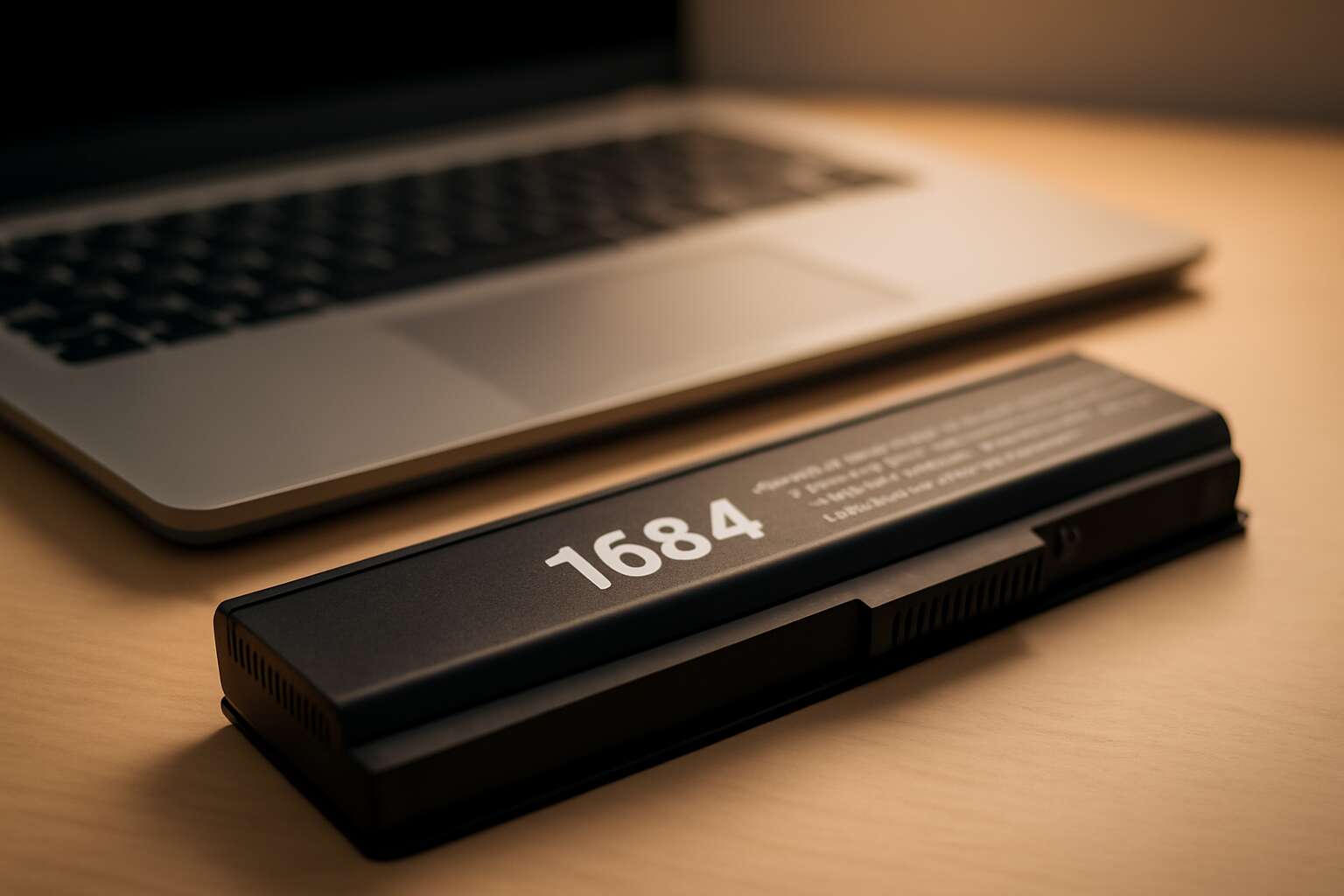
Dell Studio 1564 compatibility and battery overview
Battery specifications for Studio 1564: voltage, capacity, and chemistry
Power is the quiet backbone of a modern day, and in South Africa, reliability feels essential. The Dell Studio 1564 thrives when paired with a compatible 1564 laptop battery, delivering steady performance through long workdays, classroom sessions, and late-night briefs. Compatibility hinges on matching voltage and connectors, so the device remains in flow rather than hunting for a plug.
- Voltage (nominal): 11.1V
- Capacity: 4400–5200mAh (varies by pack)
- Chemistry: Lithium-ion
Across cities from Cape Town to Joburg, the battery overview for the Studio 1564 isn’t just a specs sheet—it’s a measure of endurance and care. A well-matched 1564 laptop battery translates to fewer interruptions and a more humane rhythm to the workday.
Model numbers and part compatibility for Dell Studio 1564
In a South African landscape where outages punctuate the day, the 1564 laptop battery stands as a quiet heartbeat, keeping deadlines within reach.
When selecting model numbers and parts for the Studio 1564, look for packs clearly labeled for Studio 1564 or the broader Studio family. Dell OEM and trusted third‑party packs are offered in 6‑cell or 9‑cell varieties, designed to slot in with minimal fuss.
Compatibility hinges on three checks to stay powered without surprises:
- Model labeling: target packs advertised for Studio 1564 or Dell Studio series.
- Connector and contact layout: ensure the plug matches the laptop’s socket.
- Physical fit: confirm the pack size aligns with the bay (6‑cell vs 9‑cell).
Estimated runtime and battery life expectations for Studio 1564
Power is a scarce currency in South Africa’s outage-tinged workdays, and the 1564 laptop battery is the quiet guardian of a deadline-driven afternoon. For the Studio 1564, Dell labels and Studio-family packs ensure a seamless swap, with 6‑cell and 9‑cell options designed to slot in with minimal fuss.
Estimated runtime hinges on how you use it. In typical productivity mode, a 6‑cell pack often yields roughly 2–4 hours, while a 9‑cell can stretch to 4–6 hours with light browsing and dimmer display settings.
- screen brightness and display settings
- processor load and background tasks
- peripherals and wireless connections
In the South African market, this 1564 laptop battery becomes more than hardware; it’s a reliable partner where uptime equals opportunity.
Common signs of degradation and when to replace the Studio 1564 battery
In a country where outages shape the rhythm of work, the 1564 laptop battery is less a gadget and more a quiet guarantor of progress. Dell Studio 1564 compatibility keeps the power swap seamless, with 6-cell and 9-cell options designed to slot into place without fuss, so deadlines stay intact even when the lights flicker.
Common signs of degradation reveal themselves in everyday use:
- Shorter runtime than when the battery was new
- Unexpected shutdowns or failure to boot on battery
- Visible swelling or heat during charging
- Charging irregularities or the system not recognizing the battery
When to replace? In practice, a 1564 laptop battery is due for consideration when it no longer holds a usable charge, or shows erratic behavior. In South Africa, uptime means opportunity, so many users swap after noticeable drops in runtime or after a few hundred charge cycles. A fresh battery restores performance and keeps the workflow flowing without the drama of outages.
Choosing the right battery for Dell Studio 1564
Understanding battery types and chemistry for Studio 1564
In a South African workplace where a full day can hinge on a single charge, choosing the right 1564 laptop battery isn’t a luxury—it’s a necessity. It’s more than power; it’s momentum and peace of mind when the grid flickers!
- Li-ion cells deliver high energy density and light weight, ideal for long days on the move.
- Li-polymer cells offer flexible shapes and solid safety margins, useful when space is tight.
Understanding battery types and chemistry for Studio 1564 reveals the core options.
For this model, focus on stability, safety features, and a trusted supply chain. Authentic packs from reputable brands help maintain consistent voltage under load and extend usable life.
In SA, local support and recycling ethics influence the choice as much as price. A reliable pack supports professionals, students, and creatives who juggle work and weather-challenged power.
Verifying compatibility with your exact Studio 1564 model
Power is productivity—without it, momentum stalls. When the Dell Studio 1564 is your shuttle between meetings and deadlines, the right 1564 laptop battery isn’t a luxury—it’s a lifeline. It’s more than energy; it’s the quiet certainty that your day won’t derail when the grid coughs or storms roll in.
Verifying compatibility with your exact Studio 1564 model means looking beyond the line name. Verify the precise variant you own and ensure the form factor, connector layout, and mounting points align with the pack. Then choose from trusted brands whose warranties and SA supply chains you can trust. A clean fit keeps voltage steady under load and guards against surprises.
- Exact Dell Studio 1564 part number or chassis variant
- Compatible form factor and connector type
- Brand reputation and local distributor support
In a South African workplace, authenticity and recycling ethics shape value as much as price. A genuine 1564 laptop battery from a reputable source supports professionals who juggle deadlines with weather-driven power hiccups.
Comparing capacity, voltage, and run-time estimates
Power is the hinge between a meeting and a missed deadline. “Power is the quiet hinge of productivity,” a South African IT manager once told me, and it sticks. When you pick the right 1564 laptop battery for the Dell Studio 1564, you’re not buying a spark—you’re protecting momentum, even when weather and power hiccups loom.
Choosing the right 1564 laptop battery involves weighing capacity, voltage, and run-time estimates, with the tempo of your day guiding the balance. Capacity translates to how long you can work between charges; higher Wh means longer life but a heavier pack. Voltage must match the laptop’s needs, and run-time is the story your usage writes.
- Capacity and run-time balance
- Voltage compatibility and connector type
- Brand reputation and local distributor support
In South Africa, authenticity and recycling ethics shape value as much as price. A genuine 1564 laptop battery from a reputable source supports professionals who juggle deadlines with weather-driven power hiccups.
New vs refurbished options and their implications for Studio 1564
Power and scheduling collide in SA offices, and the right 1564 laptop battery isn’t a luxury—it’s momentum protection. Dell Studio 1564 users know: the best move is a measured choice between new and refurbished options, keeping meetings on track when power hiccups hit.
New batteries bring peace of mind with a robust warranty and fresh chemistry; refurbished units cut costs but vary in longevity. The choice hinges on how long you can go between charges and how much risk you’re willing to swallow with Studio 1564.
- New: strongest reliability, full warranty, latest safety
- Refurbished: lower upfront cost, tested performance, shorter warranty
- Both: verify genuine compatibility and clear fault history
In South Africa, authenticity and recycling ethics shape value far more than price, so choose sources with traceable parts and local support. The Studio 1564 thrives when the 1564 laptop battery is sourced responsibly, keeping momentum alive, rain or shine.
Where to buy and how to verify a battery for Studio 1564
Trusted retailers, OEM options, and third-party alternatives
In South Africa, the right 1564 laptop battery is best found through trusted retailers, official OEM channels, or vetted third-party suppliers. A reliable purchase begins with provenance—look for Dell-authorized sellers or the official Dell parts catalog to ensure compatibility and safety.
Verification centers on provenance and documentation. When the packaging and labeling carry the official part number and Studio 1564 reference, and safety markings are visible, confidence rises. Align what you see with the official catalog and keep warranty documentation accompanying the deal.
- Official part number and Studio 1564 reference on packaging
- Visible safety markings (CE/UL) and manufacturer labels
- Warranty or return documentation accompanying the purchase
Third-party options can offer value, but reliability matters; seek suppliers that publish safety assurances and stand behind their products with a warranty. The landscape reminds us that a battery is as much a confidence enterprise as a component.
How to check authenticity and warranty coverage
In South Africa, with rolling outages shaping the day, the right 1564 laptop battery isn’t just a purchase—it’s a lifeline. A dependable cell keeps work and wonder humming long after the lights fade.
Where to buy? Seek trusted retailers, official OEM channels, or vetted third-party suppliers. The safest path runs through Dell-authorized sellers or the official parts catalog, ensuring compatibility and safety amid the South African market.
Verification hinges on provenance and documentation.
- Official part number and Studio 1564 reference on packaging
- Visible safety markings (CE/UL) and manufacturer labels
- Warranty or return documentation accompanying the purchase
And in this light, the battery becomes trust.
Spotting counterfeit batteries and safety risks
Power outages shape the day across South Africa. The 1564 laptop battery is a lifeline, keeping essential work humming long after the grid goes dark.
Where to buy? Seek trusted retailers, official OEM channels, or vetted suppliers. The safest path runs through Dell-authorized sellers or the official parts catalog, ensuring compatibility and safety in the SA market. A dependable 1564 laptop battery can bring lasting confidence to your setup.
Spotting counterfeit batteries and safety risks is essential for Studio 1564. Red flags may appear before a plug is ever inserted.
- Price is dramatically lower than market norms
- Packaging, labels, or seals look counterfeit or damaged
- Serial numbers or model references are missing or inconsistent
- Physical signs such as swelling, unusual warmth, or smells
Return, warranty, and support considerations for Studio 1564 batteries
In the glow of a late-night screen, the 1564 laptop battery remains a quiet beacon against the creeping dark. In South Africa, buy through Dell-authorized sellers, the official parts catalog, or trusted OEM partners to ensure compatibility and safety. These channels shield you from shady deals and guarantee a warranty that travels with you. This battery anchors your Studio 1564 with steady endurance, even as the grid falters.
Return, warranty, and support deserve deliberate attention. Before purchase, confirm the SA return window and service route, and keep the receipt, model, and serial at hand. To guide you, consider these checks:
- Warranty scope: duration and what is covered
- Return policies and service routes within South Africa
- Local support contacts and service options
Installation, safety, and maintenance tips for Studio 1564 batteries
Step-by-step removal and installation guidance for Studio 1564
A shocking stat: only 18% of hurried swaps end cleanly, which is why the 1564 laptop battery deserves respect. Swap with the poise of a barista—calm, deliberate, and with a plan, even in SA offices.
Safety first: power down, unplug, and discharge static. Work on a non-conductive surface, keep screws in a labeled tray, and never force connectors.
Step-by-step removal and installation for Studio 1564:
- Power down and unplug the charger.
- Remove the bottom cover with the correct screwdriver.
- Disconnect the battery ribbon connector carefully.
- Unscrew and lift out the old battery.
- Insert the replacement, reconnect the ribbon, and replace the cover.
Maintenance tips: avoid extreme temperatures, store between 16–22°C, and avoid full discharge. Calibrate occasionally and monitor for swelling to preserve longevity of your device’s battery.
Safety precautions during handling, charging, and disposal
Installation is a quiet art: cradle the Studio 1564 battery with stewardship, align every connector, and let the chassis settle before you seal the lid. In this small moment, poise governs performance; a patient swap yields steadier power and longer life for your workstation’s heartbeat. Treat the 1564 laptop battery with care, as missteps write stress into the cells.
- Operate on a non-conductive surface; ground yourself and keep metal jewelry aside; disconnect power and handle connectors with gentleness
- Dispose of spent cells through certified e-waste channels in South Africa, following local guidelines and retailer take-back programs
Maintenance matters in the long game: keep storage stable and out of extremes of heat and cold, avoid deep discharge, and watch for signs of swelling. A little vigilance today keeps the battery humming through tomorrow’s workloads with dignity and quiet power.
Maintenance habits to maximize battery lifespan
Power is the quiet engine behind every Studio 1564 session; the 1564 laptop battery keeps the heartbeat steady. Installation unfolds as a quiet art—cradle the battery with care, align every connector, and let the chassis settle before the lid closes. In this moment, poise governs performance and patience yields steadier power for tomorrow’s workloads.
- Respect connectors and alignment to preserve reliability.
- Handle with care, keeping non-conductive surfaces and gentle contact.
- Observe heat and charging behavior to maintain long life.
Maintenance matters in the long game: store away from heat and cold extremes, avoid deep discharge, and watch for swelling. A little vigilance today keeps the workstation humming through tomorrow’s workloads with dignity and quiet power, across South Africa’s varied climates and workdays.
Charging etiquette, heat management, and storage tips
Power is the quiet engine behind every Studio session, and the 1564 laptop battery deserves respect for the work it does in the background. In South Africa’s busy workdays, reliability matters more than flash, and the right installation, safe handling, and mindful maintenance keep your workflow steady even when power flickers. It’s the everyday fidelity that lets tomorrow’s workloads unfold with ease.
- Charging etiquette emphasizes using an approved charger and mindful heat management during charging.
- Heat management centers on ensuring airflow around the chassis and keeping vents clear.
- Storage tips point toward storing in a cool, dry place and limiting long idle periods.
When these elements align, your studio stays ready for tomorrow’s workloads.
When to seek professional service or battery replacement
Installing a Studio 1564 battery should feel like a quiet handshake between parts, not a wrestling match. Let the battery seat snugly and the contacts align without forcing a thing. Keep the workspace clean and dry—dust, like bad ideas, loves to creep into connectors.
Safety matters as much as performance. Treat the unit with respect: avoid punctures, crushing, or heat, and never sponsor liquids a rendezvous with the metalwork. If in doubt, pause and consult the official service channels rather than improvising a duct-tape fix.
Maintenance is longevity insurance. Regular visual checks for cracks, corrosion, or loose fittings keep the system vigilant. When you notice unusual warmth, rapid discharge, or unexpected shutdowns, seek professional service or a battery replacement. The responsible choice is to protect your studio’s rhythm with a careful evaluation of the 1564 laptop battery.




0 Comments