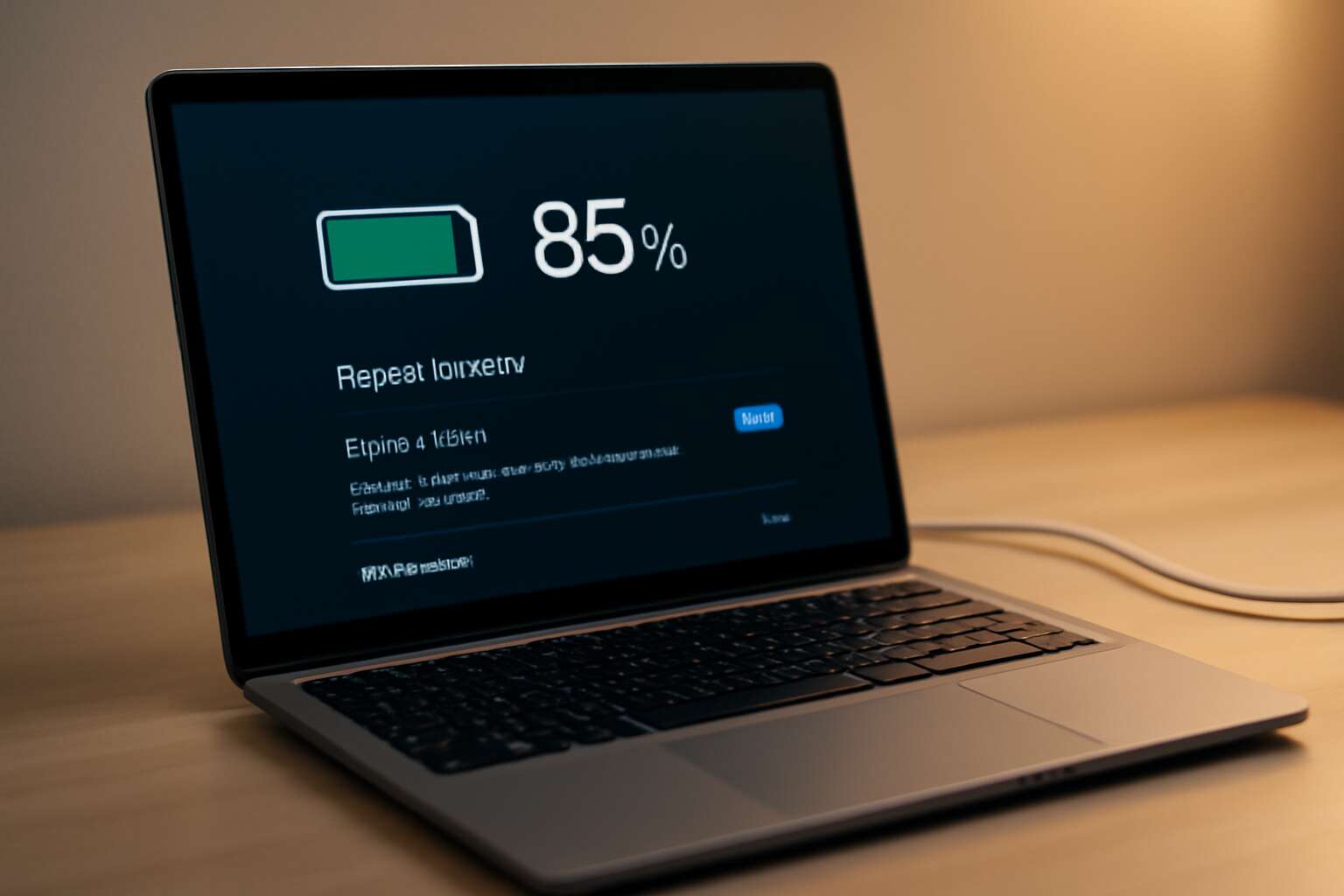
Understanding Laptop Batteries and How They Work
Battery technology basics
South Africa faces a practical truth: battery life declines as usage grows; in practice, a Li-ion pack can shed roughly 20% capacity within the first year of heavy daily work. Laptop batteries are bundles of lithium‑ion cells tied together by a Battery Management System that watches charge, discharge, and temperature. Capacity fades with cycles; heat ramps wear, and deep discharges worsen it!
Cells run at about 3.6 to 4.2 volts each, and packs are described by energy capacity in watt-hours (Wh). The chemistry blends nickel, cobalt, and manganese in varied ratios, balancing power and longevity. The Battery Management System keeps tabs on safety and efficiency. This overview lays the groundwork for laptop battery tips that matter in real life, helping readers understand what really drives runtime and wear.
Degradation mechanisms in common laptop chemistries
Heat, age, and heavy use are the quiet saboteurs of any laptop battery. In South Africa’s climate, the drain hits harder, and a wary observer notes: the battery isn’t just power—it’s a living system that hates heat. That insight fuels these laptop battery tips.
Battery packs are strings of lithium-ion cells guided by a Battery Management System (BMS) that watches charge, discharge, and temperature. Chemistries blend nickel, cobalt, and manganese; packs store energy in watt-hours (Wh). Degradation shows as SEI growth, loss of lithium, and electrolyte aging—heat speeds the wear.
The culprits in common laptop chemistries:
- Excess heat and sustained high temperatures
- Deep discharges and rapid cycling
Understanding these dynamics helps you read battery life with clarity—these laptop battery tips echo in every workload.
Daily usage factors that drain batteries
Heat is the thief of charge, a truth seasoned by South Africa’s relentless sun. In daily life, the rhythm of work, study, and travel determines how long a battery can glow. These reflections crystallize into modern laptop battery tips.
Consider the daily usage factors that drain life from the cells:
- Persistent high display brightness that keeps the screen awash in light
- Sustained processor cycles from demanding apps and multitasking
- Always-on wireless radios and background syncing that sip power
- Aging cells and frequent deep cycles under heavy use
The Battery Management System watches temperature, voltage, and current, translating a translucent metal heart into readable clues about your day’s energy. Understanding these dynamics helps you conceive how your workload writes the battery’s story.
How to read battery health metrics and cycles
In SA’s sun-burnished offices and long-haul commutes, the battery’s heartbeat matters more than the screen’s glow. Modern cells typically endure 300–500 full cycles, a promise that can outlive several work seasons if understood.
The Battery Management System is a quiet oracle, watching temperature, voltage, and current and translating those signals into a readable weather report for your day.
To read battery health metrics and cycles, focus on three compass points: cycle count, full charge capacity versus design capacity, and temperature history.
- Cycle count and its trajectory
- Full charge capacity vs. design capacity
- Temperature history during usage
These readings help navigate the energy story without guesswork; when numbers drift, the battery’s tale shifts. For readers chasing laptop battery tips, this lens reframes how we talk about power in South Africa’s daily grind.
Maximizing Battery Longevity Through Usage Habits
Optimal charging practices and cycle management
Battery life is a negotiation, and your daily habits decide the outcome. A sharp observer might say momentum hinges on tiny choices—because a single mid-afternoon lull can derail a critical presentation. These laptop battery tips emerge from patient observation and a dash of wit, especially for South Africa’s climate and work rhythms!
Maximizing longevity through usage habits hinges on gentler heat, steady workloads, and mindful charging philosophy. Consider the following factors:
- Ambient temperature and ventilation
- Background workloads and notifications
- Software-driven charging behaviors
Used with grace, cycle management becomes a quiet optimization rather than a nuisance. Modern systems offer energy-aware features that reward restraint with reliability, proving that longevity is as much about temperament as hardware.
Managing display brightness and power-saving modes
South Africa’s glare is a good test for your portable workhorse. A dimly lit screen can feel like a mercy, but a sun-struck display bleeds power fast. These laptop battery tips come to life when brightness and mode choices echo your day’s tempo!
Maximizing longevity hinges on gentle display management: let ambient conditions guide brightness and lean into power-saving modes when you’re between tasks. The balance keeps the unit usable without forcing a recharge.
- Ambient light awareness keeps brightness in balance, cutting power without sacrificing readability.
- Power-saving modes and adaptive throttling reduce background activity during idle moments to preserve energy.
- Shorter screen timeouts and mindful background app usage soften the daily drain in busy South African workweeks.
These small decisions, laptop battery tips, are part of a broader philosophy: patience with power, not panic in the office. It’s the hum of reliability in a busy workday.
Closing background apps and adjusting performance profiles
Power is a daily discipline, especially when your laptop doubles as a mobile office across South Africa. These laptop battery tips emphasize rhythm over urgency, foregrounding how we close background tasks and select performance profiles as part of a larger care routine. In practice, limiting the noise of idle processes and choosing a conservative compute mode can quietly extend the hours between charges.
In a country where load shedding tests reliability, patience with power becomes a professional virtue. By treating closing background apps and adjusting performance profiles not as chores but as part of a mindful workflow, we preserve usable life in every office sprint and save the spark for when it truly matters.
Scheduling charging and unplugging for routine maintenance
Every minute your battery clings to life is a small triumph against the clock in a city where deadlines never sleep. Across South Africa, where power resilience is a daily craft, these laptop battery tips unfold as a quiet art of endurance.
Maximizing longevity through usage habits requires a patient rhythm—charging in tune with the office heartbeat, unplugging as the screen dims and the room sighs. It becomes a quiet routine maintenance ritual, a mindfulness practice that preserves life for the moments that truly matter.
In the grand saga of productivity, a charged machine is a steadfast companion; treat power as a scarce resource and you unlock hours of steady momentum. The ritual stays loyal when the office demands resilience.
Hardware and System Settings That Boost Battery Life
Operating system power management features
Real-world testing shows up to 25% longer battery life when hardware and OS power protections are enabled. Subtle firmware choices and system settings shape idle drain and peak performance, even on routine tasks. Hardware tweaks—ensuring efficient sleep states, sane throttling, and selective peripheral shutdown—play a quiet but decisive role. On the software side, operating system power management features such as dynamic voltage and frequency scaling, sleep states, and screen power optimization work in harmony. I’ve seen minor firmware adjustments translate into tangible runtime improvements here in South Africa.
- BIOS/UEFI power-management settings that optimize idle power.
- Graphics switching and power policies to curb idle GPU activity.
- OS-level features that throttle background activity and optimize screen power usage.
These elements form a cohesive set of laptop battery tips that respect both hardware and software, delivering smoother performance when the charger isn’t nearby.
GPU and display configuration for power efficiency
Across South Africa’s remote-work hubs, a single charge can decide a day of productivity. Real-world tests show that enabled GPU switching and careful GPU policies can deliver meaningful runtime gains without noticeable slowdowns. Hardware and system settings quietly shape idle drain and peak performance, even during routine tasks. When the laptop runs on battery, every watt saved matters, and the right configuration can make a surprising difference!
- Enable GPU switching so the system uses integrated graphics for everyday tasks on battery.
- Apply a power-saving GPU policy and, where available, cap the dynamic refresh rate to reduce GPU load.
- Disable unnecessary external displays and unplug unused peripherals to keep GPU and CPU light on the wattage.
These hardware and system tweaks are a core part of laptop battery tips that help you stay productive when the charger isn’t nearby.
BIOS/UEFI settings and firmware considerations
Power plays a quiet role in South Africa’s remote-work hubs, where a single BIOS/UEFI nudge can stretch daylight hours. A recent lab test showed firmware-level power-management can lift runtime by double digits without slowing the flow. These laptop battery tips whisper from the motherboard to the screen.
- Keep your BIOS/UEFI firmware up to date to access the latest power-management features.
- Enable energy-saving idle states and CPU sleep policies where available, smoothing peaks in demand.
- Audit onboard hardware options and disable unused peripherals or adapters in firmware to trim background drain.
Firmware and hardware decisions like these shape more than wattage; they shape confidence. These choices quietly support long days of work when the charger isn’t nearby.
Battery calibration and health checks
Across South Africa’s remote-work hubs, every hour counts, and battery gauge drift is the quiet thief. A recent field observation shows firmware and hardware interactions can skew remaining-time estimates, creating a false sense of spare minutes. These laptop battery tips focus on hardware and system settings that quietly extend daylight hours—without sacrificing performance.
Calibration aligns the gauge with real capacity, so you aren’t chasing phantom charges. Health checks reveal degradation patterns and cycle counts, letting you plan ahead.
- Gauge accuracy explains why the bar and runtime diverge.
- Health checks highlight cell wear and calendar aging.
- Firmware and drivers coordinate discharge/charge timing for steadier performance.
In South Africa’s field-ready setups, these subtle decisions feel almost architectural—quietly shielding your workday from the unexpected and extending the usefulness of your device.
Maintenance, Diagnostics, and Replacement Solutions
Regular battery diagnostics and monitoring tools
Power is the quiet partner in every shift and every meeting—your laptop’s life rests on proper care. In the realm of laptop battery tips, maintenance is the first spell: keep it cool, avoid heat soak, use genuine chargers, and store it with a mid-level charge when idle. Let firmware and BIOS stay current to ensure safe charging and accurate health readings. A little routine care yields weeks of reliable performance.
Diagnostics reveal the unseen story of your cells. Regular monitoring tools can track capacity, discharge rate, and cycle count without waking the device.
- Run the built-in battery health report
- Check current cycle count against design life
- Look for unusual heat during charging
Replacement Solutions: When health dips or swelling appears, replacement becomes practical. Opt for OEM batteries with a valid warranty, and consult authorised service centers. If swelling or rapid capacity loss occurs, stop using the device and pursue replacement. Recycle the old pack responsibly.
Safe calibration techniques and when to recalibrate
Maintenance in laptop battery tips isn’t a flashy ritual; it’s quiet stewardship. Keep the chassis cool, avoid heat soak, use genuine chargers, and store with a mid-level charge when idle. Let firmware stay current, and mind ambient conditions here in South Africa to extend life.
Diagnostics reveal the unseen story of your cells. Regular monitoring tools can track capacity, discharge, and cycle count without waking the device. Run the built-in battery health report and watch for unusual heat during charging.
Replacement Solutions: When health dips or swelling appears, replacement becomes practical. Opt for OEM batteries with a valid warranty, and consult authorised service centers. Safe calibration techniques and when to recalibrate follow the guidance of the manufacturer; recalibrate only when readings drift markedly or after firmware changes.
When to replace a laptop battery and how to choose a replacement
Maintenance isn’t a flashy ritual; it’s quiet stewardship. In South Africa’s climate, a cool chassis and firmware kept current matter for laptop battery tips that endure. The aim is steady, low-drama upkeep that respects the hardware and its limits, not quick fixes.
Diagnostics uncover the unseen story of your cells. Built‑in battery health reports and monitoring tools track capacity, discharge, and cycle count without waking the device.
- Capacity drift over time
- Discharge rate stability
- Cycle count progression
Watch for unusual heat during charging as a subtle cue something may be off.
Replacement Solutions: When health dips or swelling appears, replacement becomes practical. Opt for OEM batteries with a valid warranty and consult authorised service centres. Safe calibration techniques and when to recalibrate follow the manufacturer’s guidance; replace when readings drift markedly or after firmware changes. Choosing a replacement means weighing fit, warranty, and safety within the South African context.
Safe storage, handling, and long-term battery care
Maintenance isn’t a flashy ritual; it’s quiet stewardship. In South Africa’s heat, a cool chassis and current firmware matter for laptop battery tips that endure. Safe storage and mindful handling extend life—avoid direct sun, keep temperatures moderate, and store with a light charge when idle.
Diagnostics reveal the battery’s hidden story. Built‑in health reports and monitoring tools track performance without waking the device. Subtle cues like unexpected warmth during charging should prompt a careful review by a trusted technician or service centre.
Replacement Solutions: When health dips or swelling appears, replacement can be prudent. Choose OEM batteries with a valid warranty and consult authorised service centres. Follow manufacturer guidance on calibration and firmware, and weigh fit, warranty, and safety within the South African context.




0 Comments